
In this guide
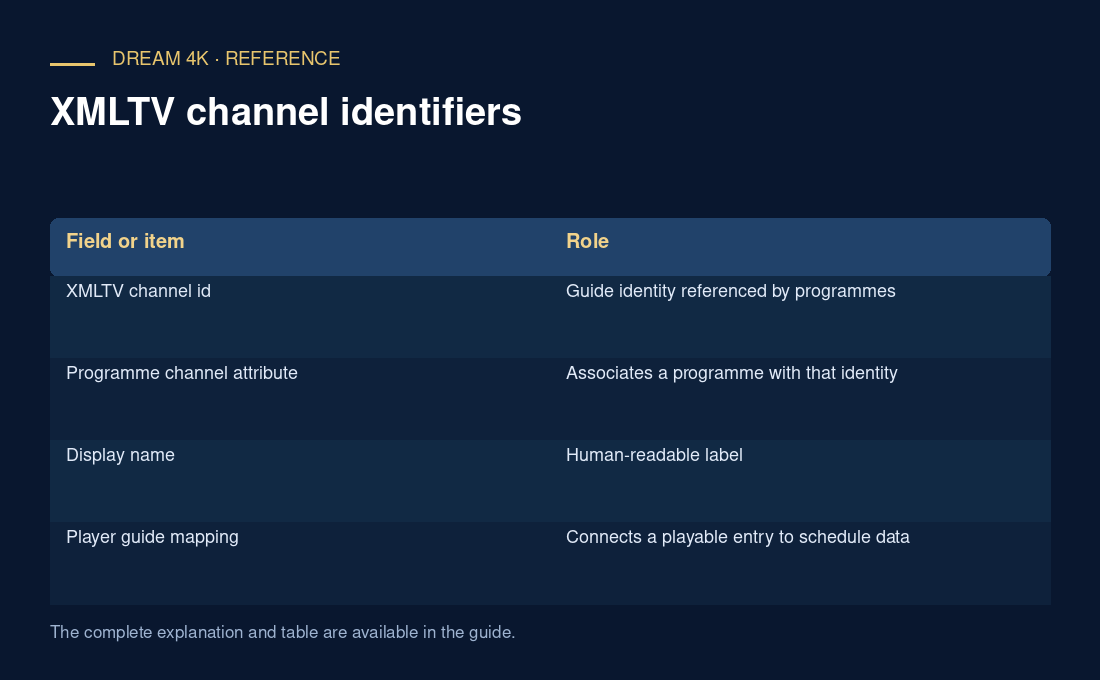
Identity survives presentation changesCompare the exact relationshipMake corrections reversibleAn XMLTV channel identifier connects programme records to a channel definition. The definition can have human-friendly display names, while each programme refers to the identifier in its channel attribute. A player needs an appropriate mapping from its streaming entry to that guide identity.
A matching-looking title or logo does not guarantee that two entries represent the same schedule. Regional editions, delayed feeds and separate services can look similar while carrying different programmes.
Identity survives presentation changes
A display name may change punctuation, language or branding without changing the underlying feed identity. Conversely, two different feeds can use nearly identical names. This is why automatic name matching is a convenience rather than proof of a correct schedule relationship.
An original hypothetical guide defines news.east and news.west with display names that both begin “City News.” Mapping both streams to news.east can produce a plausible-looking but wrong schedule for the western feed. The logo does not resolve that ambiguity.
Compare the exact relationship
Look at the channel id in the guide definition, the channel attribute on its programme records and the player’s selected guide association. Some player/playlist ecosystems use their own metadata fields for that mapping; their interpretation needs the player’s documentation rather than an assumption that every M3U extension is universal.
| Field or item | Role |
|---|---|
| XMLTV channel id | Guide identity referenced by programmes |
| Programme channel attribute | Associates a programme with that identity |
| Display name | Human-readable label |
| Player guide mapping | Connects a playable entry to schedule data |
| Logo | Visual cue, not an identity guarantee |
Make corrections reversible
When a player offers a mapping editor, record the old association and change only the affected entry. Verify several programmes across the intended time range, not only one title that happens to match. A single correct programme can occur on more than one feed.
A useful report contains the exact identifiers and an example of the wrong schedule, with access secrets removed. Renaming channels or refreshing repeatedly does not repair a relationship unless the identifier association or source data actually changes.