
In this guide
Define the measurement before comparing numbersA path contains multiple shared resourcesUse matched evidenceThroughput is a measured rate of data transfer over an interval. Capacity describes a path or link’s ability to carry traffic under specified conditions. A broadband package’s advertised rate, a Wi-Fi link rate and a media request’s achieved payload rate describe different things.
For streaming, the practical concern is whether useful media arrives quickly enough to maintain playback. A high result to one test server does not establish the result of a different transfer from a different destination at another time.
Define the measurement before comparing numbers
State what was counted, over which interval and between which endpoints. Application payload excludes some traffic counted at lower network layers. A Wi-Fi association speed is not the rate at which an application necessarily receives video. A short burst can also differ greatly from a longer sustained interval.
An original hypothetical segment contains 5 megabytes and takes two seconds to transfer. Using decimal units, its payload throughput is 5 × 8 ÷ 2 = 20 Mbit/s. If those bytes represent ten seconds of media, the segment’s average payload bit rate is 4 Mbit/s. The two figures are compatible because they describe different time intervals.
A path contains multiple shared resources
The end-to-end path includes the client’s local link, home router, access network, transit and serving system. The narrowest or busiest part can constrain a transfer. Other devices and uploads can change the available share even when the purchased package remains the same.
This does not mean every slow request is a network-capacity problem. Request setup, server processing, authorization, congestion control and the application’s scheduling can affect observed timing.
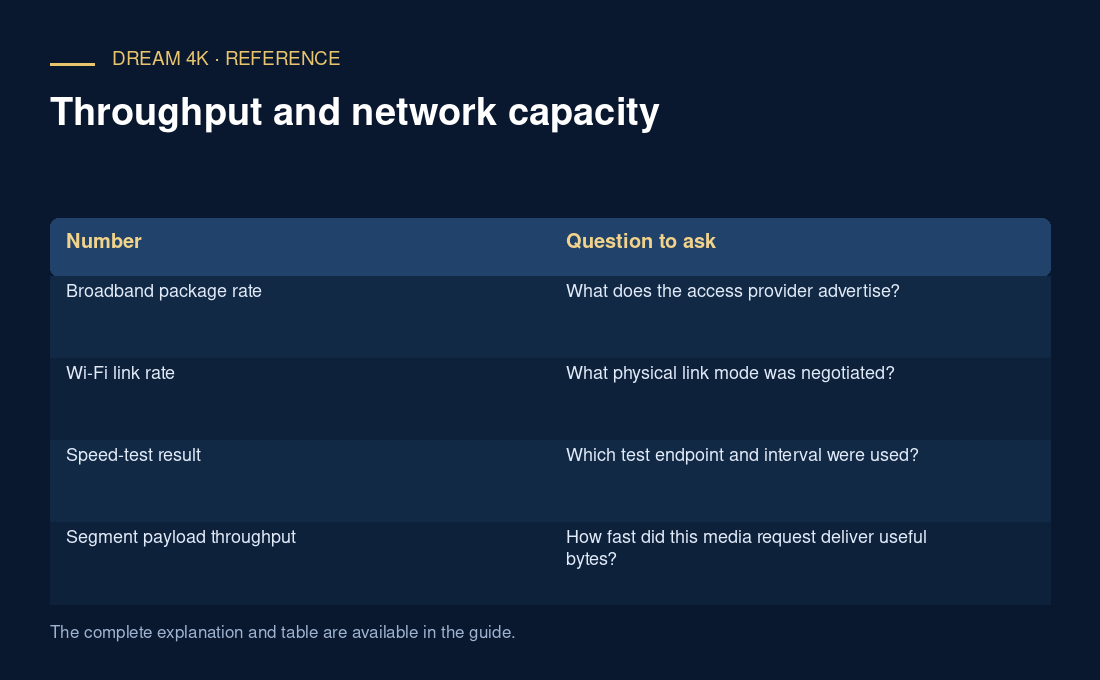
| Number | Question to ask |
|---|---|
| Broadband package rate | What does the access provider advertise? |
| Wi-Fi link rate | What physical link mode was negotiated? |
| Speed-test result | Which test endpoint and interval were used? |
| Segment payload throughput | How fast did this media request deliver useful bytes? |
Use matched evidence
Compare measurements taken from the affected device and time period, retaining the destination and test method. A controlled wired comparison can help isolate the local wireless link, but it does not automatically identify the responsible upstream component. Report the observed rate and conditions before attaching a cause or a guaranteed quality label.