
In this guide
Record the selected family rather than guessingAddress configuration and path behavior remain separateUse administrator-supported diagnosisIPv6 is a version of the Internet Protocol with its own addressing and packet format. A dual-stack environment can support both IPv4 and IPv6. Name resolution and client connection behavior can lead a session to one family or the other when both are available.
Success on one path does not prove the other is healthy. Conversely, an IPv6 label alone does not guarantee faster, lower-latency or more reliable streaming.
Record the selected family rather than guessing
A hostname can have addresses for more than one family, and clients can use connection-selection behavior appropriate to their implementation. Preserve the actual destination family and error where diagnostics expose them. Do not assume every request in an application uses the same host or path.
An original hypothetical menu host is reachable over IPv4 while the media host’s selected IPv6 connection fails. Menus can load while playback does not. This is a family/host-specific observation, not proof that the entire internet connection is absent.
Address configuration and path behavior remain separate
Having an IPv6 address does not establish working routing, name resolution, secure connection or media delivery. Link-local addressing has a limited scope distinct from global reachability. The complete request chain still needs valid endpoints and supported media.
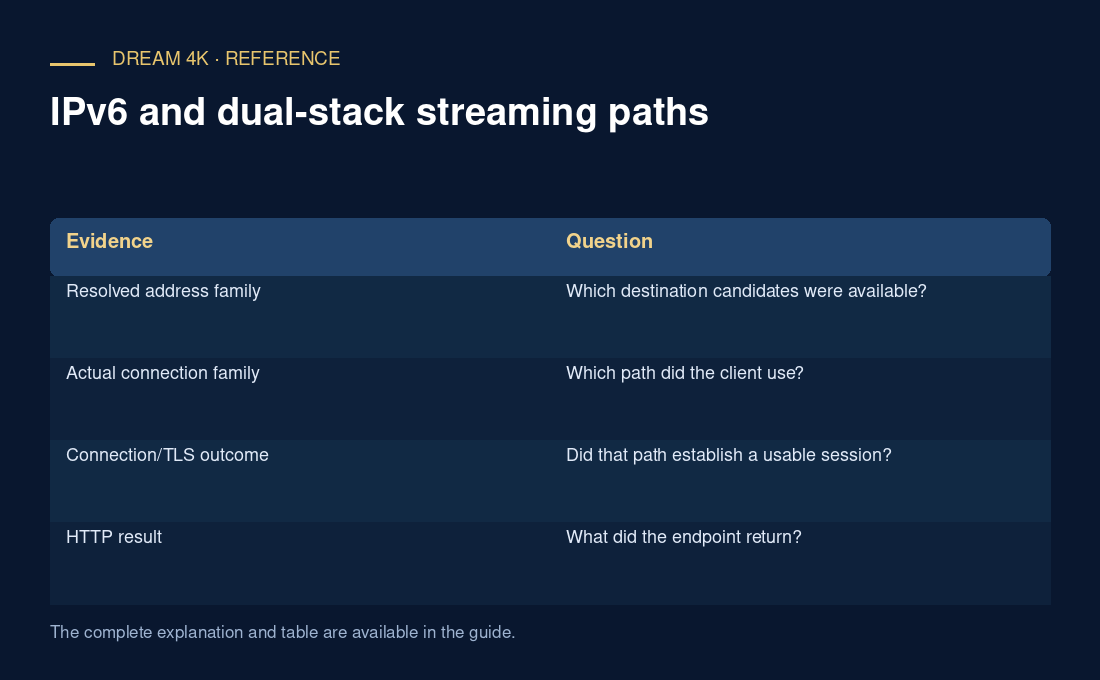
| Evidence | Question |
|---|---|
| Resolved address family | Which destination candidates were available? |
| Actual connection family | Which path did the client use? |
| Connection/TLS outcome | Did that path establish a usable session? |
| HTTP result | What did the endpoint return? |
| Media result | Could the selected payload be decoded/presented? |
Use administrator-supported diagnosis
On a managed network, retain configuration and use the administrator’s route for a family-specific issue. On a home network, follow current router/device documentation and record any reversible test. Globally disabling a protocol can mask the failing path without explaining it.
A useful report includes hostname, selected family, timing, error and a matched supported comparison. It should distinguish IP-version reachability from account refusal or decoder incompatibility.