
In this guide
The menu and the decision are separate evidenceCompatibility constrains meaningful switchingObserve the selected track, not just the control labelAdaptive bitrate playback lets a client choose among offered media representations as conditions and playback requirements change. HLS variants and DASH representations provide structures for such alternatives. The player’s actual strategy is implementation dependent.
Adaptation selects existing encoded media. It is different from a display scaling a decoded picture or an encoder changing how the source was originally compressed.
The menu and the decision are separate evidence
The presentation can advertise multiple operating points with different rates, dimensions, frame rates or codec configurations. A client then makes a selection using the information and capabilities available to it. A network estimate, buffer state, user cap or device constraint can be relevant without every player using the same algorithm.
An original hypothetical menu offers 3 Mbit/s and 6 Mbit/s video in an otherwise compatible set. A client selecting the lower option has chosen another resource path. It has not changed the user’s display resolution by itself or proved an account-level downgrade.
Compatibility constrains meaningful switching
Related alternatives need appropriate timing and format relationships for the intended client behavior. Separate audio or text choices can also participate in the presentation. A quality change need not imply a language change, and a higher declared rate need not be playable on every decoder path.
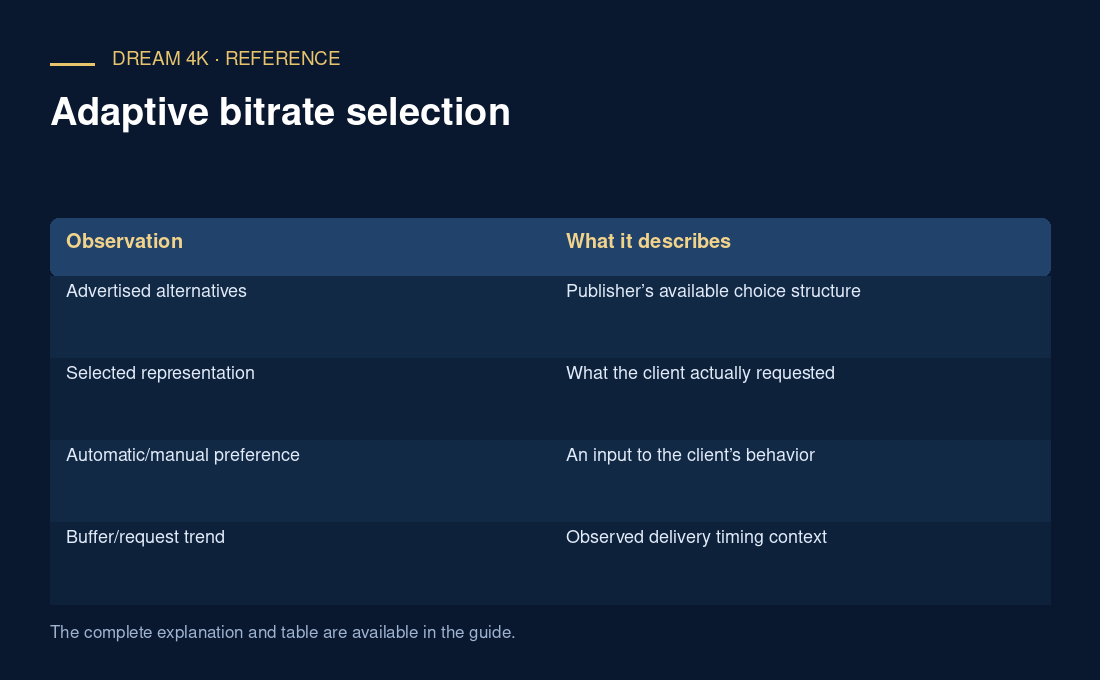
| Observation | What it describes |
|---|---|
| Advertised alternatives | Publisher’s available choice structure |
| Selected representation | What the client actually requested |
| Automatic/manual preference | An input to the client’s behavior |
| Buffer/request trend | Observed delivery timing context |
| Decoded output/scaling | A later presentation stage |
Observe the selected track, not just the control label
An automatic setting does not guarantee the highest possible rendition at every instant, and a fixed preference may be constrained by actual client/source support. Use diagnostics to record what was selected. If one alternative fails, preserve its error rather than assuming the adaptation algorithm alone caused the symptom.
A useful comparison retains codec, dimensions, frame rate, declared rate and request outcomes. It describes the actual choices under stated conditions without promising identical adaptation across applications or zero buffering.