
In this guide
Feature requirements and workload limits differAvoid copying one codec’s terminology onto anotherUse configuration-specific evidenceA codec profile identifies a defined set of coding capabilities or constraints. A level generally limits operating characteristics such as picture size, processing rate or bit rate under that codec’s rules. Some codecs add tiers or other dimensions.
The exact definitions are codec-specific. Knowing that a device supports H.264, HEVC or AV1 does not, by itself, establish support for every profile, level, bit depth and chroma configuration in that family.
Feature requirements and workload limits differ
A profile can affect which tools or sample representations a decoder must understand. A level can constrain the scale of the task. A decoder supporting a feature set may still have an operating limit below the selected rendition’s dimensions or sample rate.
An original hypothetical decoder supports one profile up to a specified level. A source using that profile at a higher declared level is not made compatible merely by lowering the display’s output resolution. The encoded samples still carry their original requirements unless the source selection or encoding changes.
Avoid copying one codec’s terminology onto another
AV1’s specification, for example, defines profiles with bit-depth and subsampling restrictions and levels with performance-related constraints. H.264 and HEVC have their own definitions and signalling. Labels that sound similar are not interchangeable capabilities.
A manifest codec string can carry some of this information, but actual payload conformance and exact-device support remain separate checks.
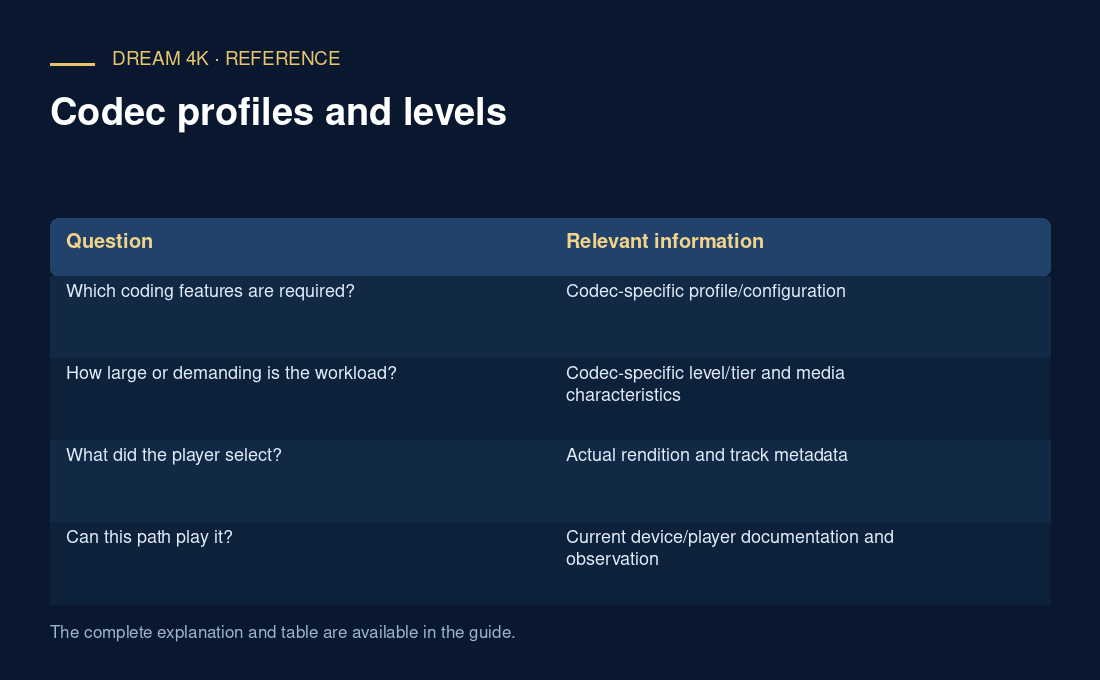
| Question | Relevant information |
|---|---|
| Which coding features are required? | Codec-specific profile/configuration |
| How large or demanding is the workload? | Codec-specific level/tier and media characteristics |
| What did the player select? | Actual rendition and track metadata |
| Can this path play it? | Current device/player documentation and observation |
Use configuration-specific evidence
For a compatibility report, preserve the full string and selected dimensions/frame rate, not just a profile nickname. A successful low-workload example is evidence for that example. It is not proof of a higher-level operating point.
Avoid editing a level declaration to make unsupported media appear smaller. Changing metadata does not reduce the actual decoding workload or transform the encoded samples. Authors should encode and validate a conforming target; viewers should use documented supported alternatives where available.