
In this guide
Identify the actual signal and control namesUse a known pattern and one reversible changeCheck whether the issue is global or source-specificRaised blacks or crushed shadow detail can result from a code-range mismatch, but the visual symptom alone is not proof. Source mastering, picture processing and viewing conditions can also change apparent contrast.
Use a known permitted signal and record both the device output and television input settings. The objective is to match the intended interpretation, not to declare full-range or limited-range universally superior.
Identify the actual signal and control names
Record whether output is RGB or another supported representation and note the exact range-related labels at each end. Manufacturer names vary, so use current exact-model guidance. Apple’s output documentation explicitly treats its RGB choices as settings to match with the television.
In an original simplified eight-bit luma example, limited-range black is code 16. Interpreting that code through a full 0–255 mapping can raise the apparent black point. The reverse mismatch can clip values. This example does not define chroma ranges or every higher-depth representation.
Use a known pattern and one reversible change
Choose a pattern whose intended range is established, delivered through the same playback path if practical. Record original settings, change one documented control and inspect near-black and near-white distinctions. Do not use a compressed screenshot with unknown processing as a precision calibration reference.
Keep brightness, contrast, dynamic processing and HDR mode stable during the comparison. Changing them simultaneously can make the picture look preferable while hiding which interpretation changed. A successful visual match is evidence for that path, not a measured display calibration.
Check whether the issue is global or source-specific
If every item through one input shows the same change, investigate the common output/input path. If only one item differs, preserve its source metadata and processing context. A source changing between SDR and HDR can introduce another interpretation question separate from code range.
A useful report includes source type if known, device/output mode, display input setting, pattern or scene position and the observed clipping/elevation. Restore the intended supported configuration after the test. Avoid a universal instruction to force full range, because correct matching depends on the signal and receiving stage.
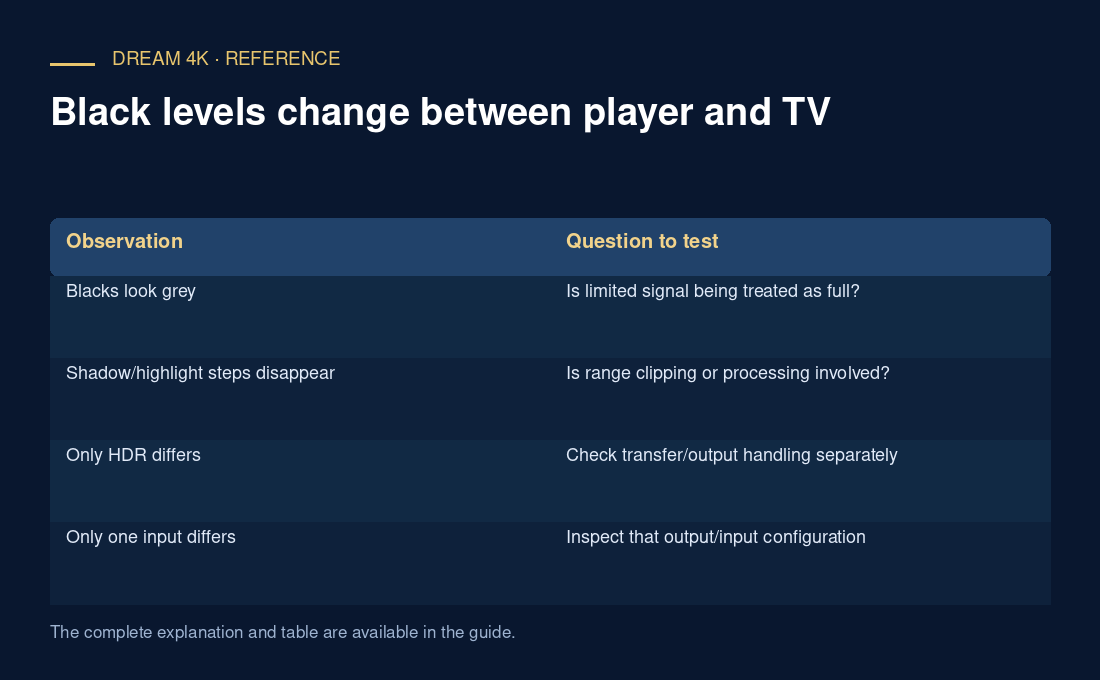
| Observation | Question to test |
|---|---|
| Blacks look grey | Is limited signal being treated as full? |
| Shadow/highlight steps disappear | Is range clipping or processing involved? |
| Only HDR differs | Check transfer/output handling separately |
| Only one input differs | Inspect that output/input configuration |