
In this guide
Trace the decoding locationVerify channels rather than the badge aloneCompare only supported output modesA receiver can display PCM because a player decoded the source before sending audio onward. That label does not automatically mean stereo, and it does not reveal every detail of the source’s original coding.
The useful questions are how many channels arrived, which layout they represent and whether the chosen output path supports that configuration. Keep these separate from a desire to see a particular codec name on the receiver.
Trace the decoding location
Record the selected source audio codec and the player’s documented output setting. A decoded PCM route and an encoded passthrough route put the decoder in different places. The receiver reports its input, which can differ from the source metadata.
In an original hypothetical chain, a six-channel compressed track is decoded by the player and sent as supported multichannel PCM. The receiver’s PCM display can be consistent with six-channel delivery. In another chain, the player downmixes to stereo before output; the same broad PCM label hides a different channel result.
Verify channels rather than the badge alone
Use the endpoint’s documented information panel and a known permitted channel-identification source if appropriate. Record channel count and mapping, not merely the word PCM. A receiver’s surround-processing mode can also change speaker activity without proving those channels were separately present in the input.
Do not infer a lossless original from PCM output. A lossy source can be decoded to PCM, and a lossless source can also be decoded to PCM. The output representation does not reverse earlier source processing.
Compare only supported output modes
Consult exact-device, application and receiver guidance before switching between decoding and passthrough. Some paths support one combination and not another. Record the original setting and change one variable for the comparison; restore the intended supported mode afterward.
A useful report contains source codec/layout, output mode, receiver input format/channels and the actual audible issue. If sound works correctly but the label differs from expectation, state that. If channels are missing, preserve a known labelled test result. This turns a badge question into a concrete output-path investigation without promising that passthrough always improves quality.
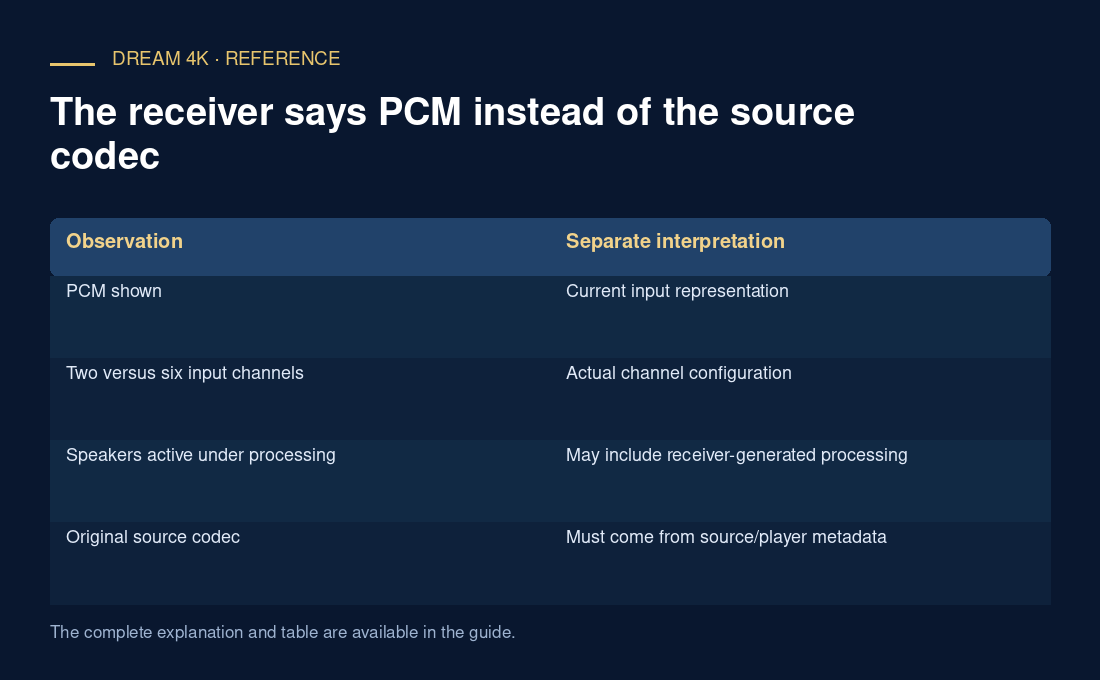
| Observation | Separate interpretation |
|---|---|
| PCM shown | Current input representation |
| Two versus six input channels | Actual channel configuration |
| Speakers active under processing | May include receiver-generated processing |
| Original source codec | Must come from source/player metadata |