
In this guide
Pixel count does not specify the information in those pixelsResolution is independent of several other attributesUse dimensions as one part of a checkVideo resolution describes image dimensions, commonly expressed as width by height in pixels. A 1920×1080 frame contains 2,073,600 pixel positions; a 3840×2160 frame contains 8,294,400. The second has four times as many positions, not a guaranteed fourfold improvement in perceived quality.
The encoded source, decoder output and display signal can have different dimensions because scaling occurs along the path. State which stage a resolution figure describes.
Pixel count does not specify the information in those pixels
Compression, source capture, focus, motion, noise, processing and bit allocation affect visible detail. A higher-resolution encode can preserve more detail when the source and encoding support it, but the label alone does not establish that outcome.
An original hypothetical image begins as a small soft source and is enlarged to 3840×2160. It now has more output pixels, yet the original fine detail was never captured. A file inspector correctly reporting the larger dimensions does not prove native source detail.
Resolution is independent of several other attributes
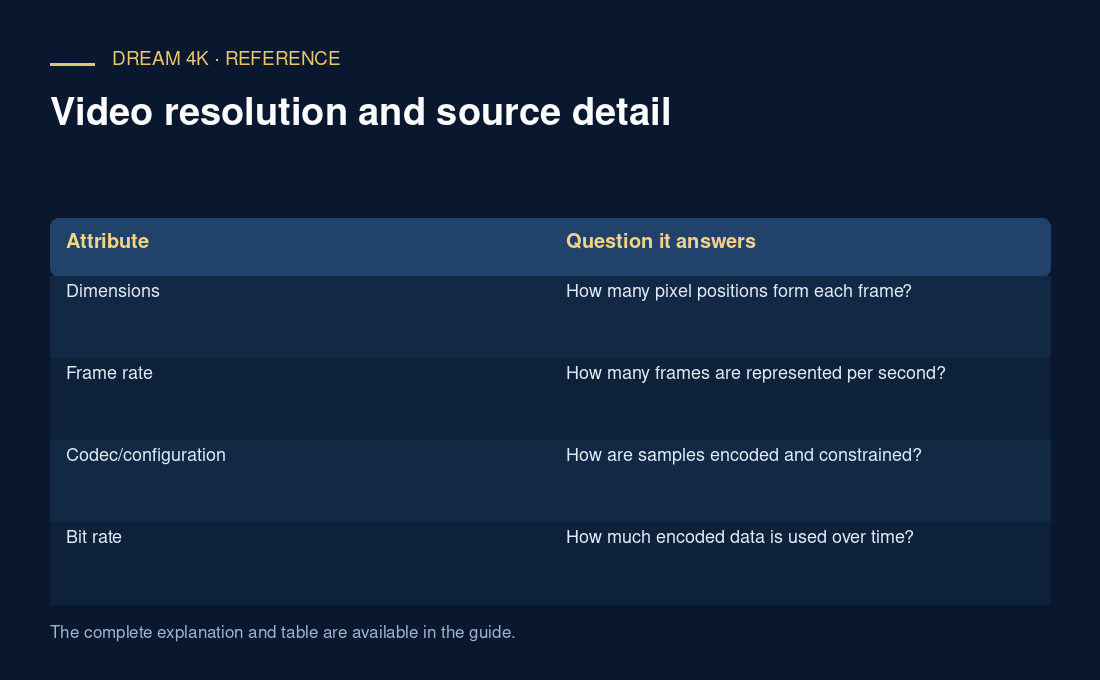
| Attribute | Question it answers |
|---|---|
| Dimensions | How many pixel positions form each frame? |
| Frame rate | How many frames are represented per second? |
| Codec/configuration | How are samples encoded and constrained? |
| Bit rate | How much encoded data is used over time? |
| Dynamic-range/colour signalling | How should image values be interpreted? |
Use dimensions as one part of a check
For a stream, inspect the rendition actually selected rather than only the highest option advertised. A device’s output information can report its HDMI mode while the app receives a smaller source. Adaptive selection can also change the source dimensions during playback.
When comparing quality, hold the scene, display processing, viewing conditions and source version as consistent as practical. Do not infer exact bandwidth needs or a fixed quality score from dimensions alone. A useful report includes encoded dimensions, frame rate, codec and whether scaling or a rendition switch was observed.