
In this guide
Use differences between observationsDifferent pipelines can produce similar stutterAvoid unsupported decoder conclusionsA dropped video frame is a frame not displayed as expected by the playback pipeline. In the browser Media Playback Quality API, droppedVideoFrames is a cumulative counter associated with the loaded video. It does not directly report a broadband speed or packet-loss percentage.
Frame drops can help investigate visible stutter when read alongside total frames, buffer state and the observation interval. A single cumulative number without elapsed context is difficult to interpret.
Use differences between observations
If the counter reads 100 at the start of an interval and 112 at the end, twelve additional frames were counted as dropped during that interval. The earlier hundred belong to earlier playback. Reloading or changing the media can reset the context, so compare only compatible samples.
An original hypothetical interval adds 600 total frames and 12 dropped frames. The ratio is 12 ÷ 600 = 2 percent for that interval under the API’s counters. It is not a two-percent network packet-loss measurement, and it does not alone say whether a viewer noticed the pattern.
Different pipelines can produce similar stutter
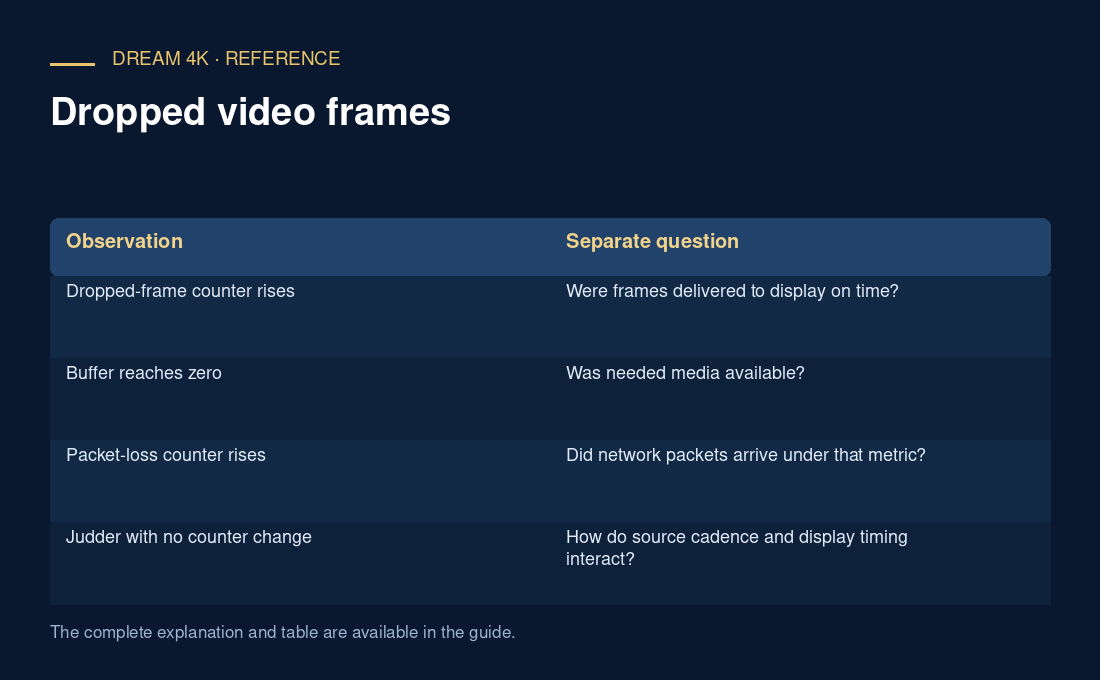
A decoder or renderer struggling to meet presentation timing can drop frames even while media is buffered. A network-driven buffer underrun can instead pause presentation because needed samples have not arrived. A display cadence mismatch can create visible judder without the same counter pattern.
The useful evidence combines the counter trend with selected dimensions, frame rate, codec configuration and buffer behavior. Exact cause still needs investigation.
| Observation | Separate question |
|---|---|
| Dropped-frame counter rises | Were frames delivered to display on time? |
| Buffer reaches zero | Was needed media available? |
| Packet-loss counter rises | Did network packets arrive under that metric? |
| Judder with no counter change | How do source cadence and display timing interact? |
Avoid unsupported decoder conclusions
A lower rendition improving the counter is useful evidence of a configuration-sensitive problem. It does not prove a device lacks all support for that codec family. Software version, power state, thermal conditions, rendering load and the exact encoded configuration can matter.
Use counters exposed by the player or browser you actually tested. This reference does not establish that a particular television application exposes the API or that every implementation counts every presentation issue identically.