
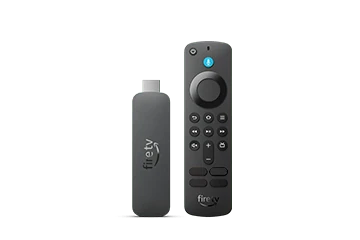
Amazon identifies Fire TV Stick 4K Select (2025), build model AFTCA002, as a Vega OS device. It must be distinguished from Fire TV Stick 4K, 4K Plus and 4K Max models. Similar retail names do not establish the same application runtime.
For this device, an Android APK guide written for Fire OS is the wrong starting point. Amazon states that Fire OS APKs do not run on Vega.
Identify the unit you own
Check the retail name and model information on the device or its packaging. Use Amazon’s device specifications to match the exact entry. Avoid relying on a remote image: remotes and product photos are not a reliable description of the operating system.
Amazon’s documentation can list changing software versions in different device and platform references. The important installation distinction here is Vega versus Fire OS, rather than a fixed software number copied into a guide.
Find a native application
Look for a player supported for the 4K Select in its current app catalogue and confirm its publisher and account method. A developer must provide an appropriate Vega application; renaming or downloading an APK again cannot supply that missing platform build.
If Dream 4K support cannot name a suitable player for this exact model, establish an alternative device route before buying access for the intended television. An external HDMI player uses its own operating system and requires its own confirmed app.
Separate connection and entitlement
The stick’s HDMI and network setup allow it to reach applications and display output. They do not include an independent player licence or streaming-service account. Confirm those terms separately.
When asking for help, state “Fire TV Stick 4K Select (2025), Vega OS” and name the installed app. That detail prevents support from sending an older Android sideload procedure. Do not publish private activation details when sharing the app’s sign-in screen.