
In this guide
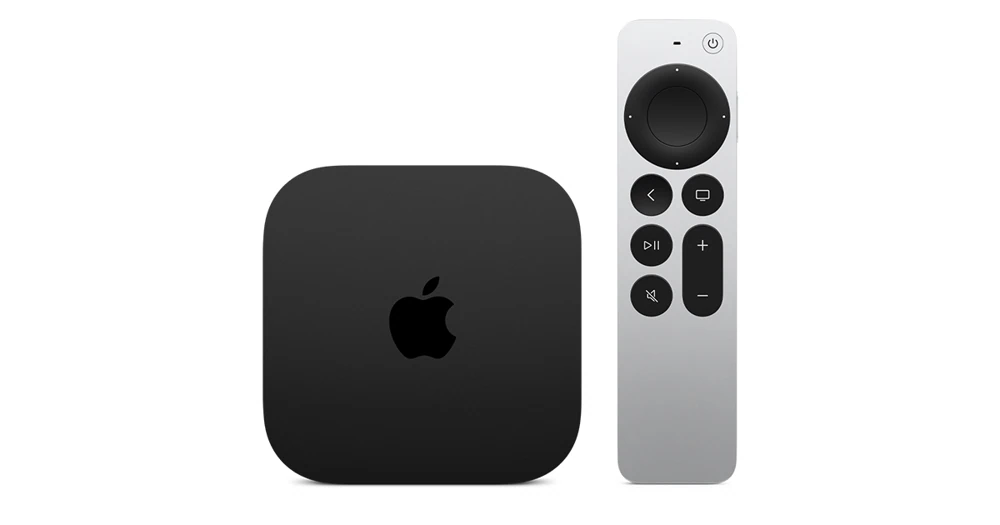
What the configuration changesThe television does not decide the app packageKeep useful model informationApple TV 4K (3rd generation) has two documented configurations: a 64 GB Wi-Fi model and a 128 GB Wi-Fi + Ethernet model. Check the generation and ports of the unit you own before planning a wired connection.
This reference concerns that generation. Apple’s current product page can change as later hardware is introduced, so its specifications should not be applied to an older box merely because both say Apple TV 4K.
What the configuration changes
The Wi-Fi + Ethernet model provides the wired network connection named in its title. The Wi-Fi model should not be described as having that port. Local storage capacity also differs, but both configurations stream video and store applications rather than including a service catalogue.
If Ethernet matters to the room layout, verify the socket on the actual unit or the model’s specification before purchasing cables. An HDMI connection to a television is separate from the network connection to a router.
The television does not decide the app package
Apps run on the Apple TV’s tvOS platform. Use the Apple TV App Store edition of the player. The brand of the connected display does not change tvOS into Samsung Tizen, LG webOS or Android TV.
The App Store account, any independent player licence and Dream 4K access remain separate. Confirm the player’s supported account format and the service’s connection allowance before configuring an additional television.
Keep useful model information
Write down generation, configuration, tvOS version and app identity in a private setup note. That is enough for a support conversation without publishing a serial number or account credentials. If a guide names a menu not present on your unit, check whether it applies to the installed tvOS version.
When evaluating playback, consider the display and HDMI path as well as the player. Hardware support for a video format is one prerequisite; it does not establish that a chosen title is supplied in that format or that every intermediary device supports it.