
In this guide
Start with the player’s documented guide inputUnderstand the link between channels and programmesVerify coverage before changing time settingsConvert one explicit timestampRefresh and verify a small representative sampleAn electronic programme guide, or EPG, describes what is scheduled on a channel and when. It is separate from the video stream. A channel can play with an empty guide, and a populated guide can point to the wrong regional feed or display the wrong local time.
A useful EPG setup checks four things in order: the correct guide resource arrives, it contains the intended channel and date, the player maps that channel to the right schedule identity, and timestamps are displayed correctly. Refreshing repeatedly helps only when new or corrected data is available.
Start with the player’s documented guide input
Use the guide source supplied for your account or another source you are authorized to use, following the player’s documentation. Some applications receive guide information through an account interface; others accept a separate XMLTV URL or file. Those workflows are not interchangeable, and not every player exposes manual mapping or timezone controls.
Keep guide URLs private when they contain credentials or signed query values. Record the retrieval time and any error message. A successful HTTP response is not enough if it contains an HTML access page instead of the expected XML or compressed guide data.
Understand the link between channels and programmes
In XMLTV, a channel definition has an identifier and one or more display names. Programme records refer to that identifier. The player needs an appropriate relationship between its playable channel entry and the guide identity. A familiar logo or similar title is only a clue, especially for regional editions and delayed feeds.
An original hypothetical guide defines news.east and news.west, both displayed with similar City News branding. Mapping the western stream to news.east can produce a full but incorrect schedule. This is a mapping problem, whereas a channel with no programme records for today has a coverage problem.
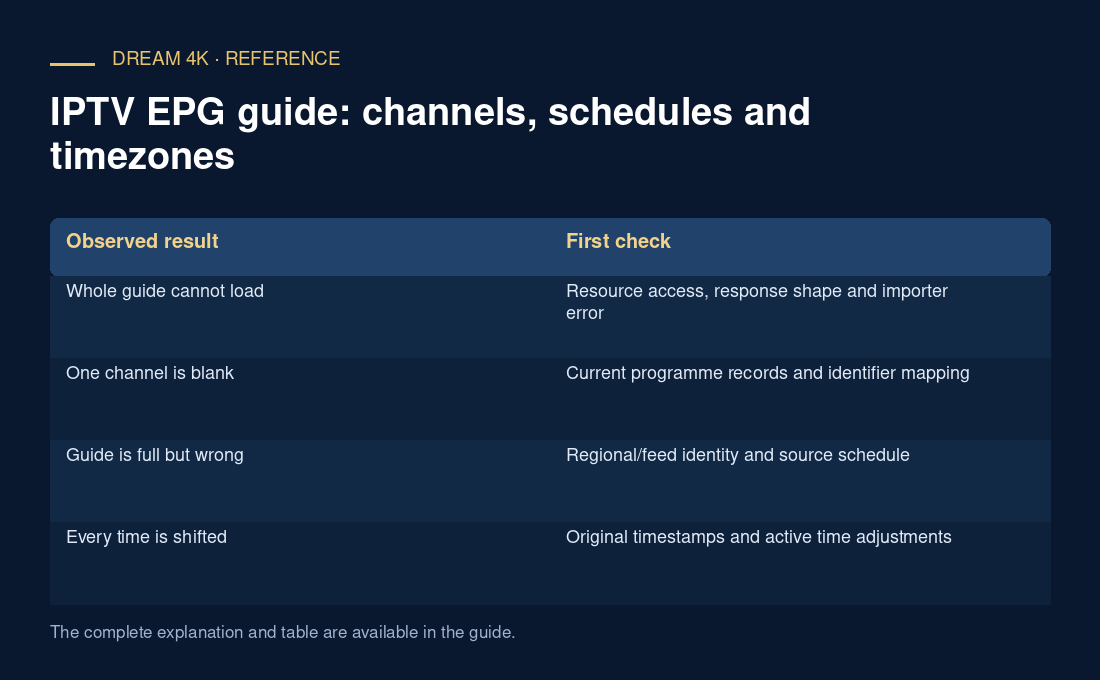
| Observed result | First check |
|---|---|
| Whole guide cannot load | Resource access, response shape and importer error |
| One channel is blank | Current programme records and identifier mapping |
| Guide is full but wrong | Regional/feed identity and source schedule |
| Every time is shifted | Original timestamps and active time adjustments |
| Only older days appear | Date coverage and source freshness |
Verify coverage before changing time settings
Choose one channel and one known time interval. Confirm that the downloaded data actually includes programmes for it. The presence of a channel definition alone does not guarantee future listings. Optional descriptions, episode metadata and stop times also vary by source.
If records are absent, a timezone adjustment cannot create them. If records are present but linked to a different identifier, a global refresh may reload the same incorrect association. Narrowing the problem prevents an all-channel change from breaking entries that already work.
Convert one explicit timestamp
The XMLTV DTD defines its date/time representation and assumes UTC when no explicit timezone is present. An original illustrative timestamp, 20261103200000 +0500, represents 20:00 at UTC+05:00 on 3 November 2026, equivalent to 15:00 UTC. A player showing that instant at UTC+05:00 should display 20:00.
Preserve the source value, device zone, player zone and any manual offset before changing them. Applying an offset twice can shift entries into the next day. For a location with daylight-saving rules, use the date’s applicable zone rather than assuming a permanent fixed offset.
Refresh and verify a small representative sample
After a documented correction, refresh as needed and check several programmes across the intended period. Verify at least one correctly working channel as a comparison. Note whether a long-closed app or stale cache was involved, but do not clear all saved settings before preserving the original mapping.
A useful report contains the player version, guide retrieval time, affected channel, guide identifier, example programme time and exact symptom. It separates missing records, wrong identity and time-conversion errors. Programme listings do not establish replay rights or guarantee that a listed event is currently available as a playable source.
- Confirm the documented guide-input method.
- Check one channel’s current programme coverage.
- Match the exact schedule identity.
- Convert one original timestamp and inspect extra offsets.
- Verify multiple programmes after a reversible correction.