
In this guide
Separate fitting, cropping and stretchingPixel count alone can be incompleteUse a clear geometry checkAspect ratio expresses a width-to-height relationship. For video, the displayed image shape and the coded pixel grid need to be interpreted in context, including whether pixels are square. A 4:3 image and a 16:9 display do not have the same shape.
A player can preserve shape with unused areas, crop part of the image or stretch it. Those choices have different consequences. Filling the entire screen is not automatically the most accurate presentation.
Separate fitting, cropping and stretching
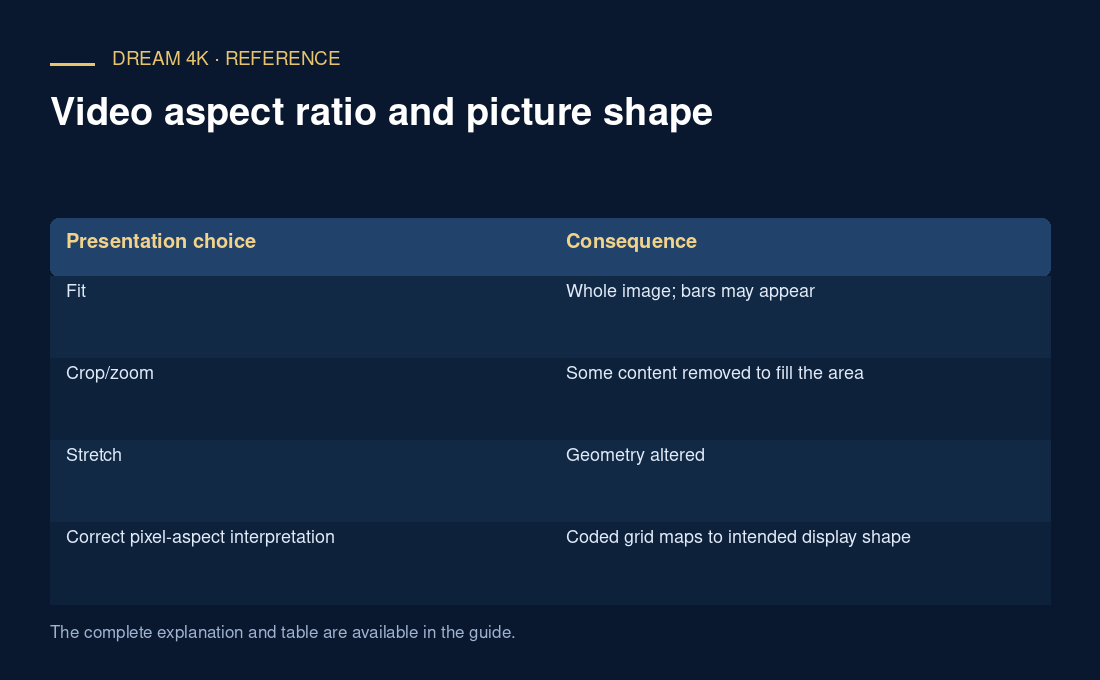
Fitting preserves the whole image and its shape, adding bars where necessary. Cropping fills a different-shaped area by removing content. Stretching changes geometry, making objects wider or taller. A zoom control can combine scaling and cropping, depending on the product.
An original square-pixel example fits 4:3 video into a 1920×1080 display. Preserving the full height gives an image 1440 pixels wide, leaving 480 unused horizontal pixels: 240 on each side. Those pillarbox bars are consistent with correct shape.
Pixel count alone can be incomplete
Some video systems use non-square pixel representations, so coded dimensions and intended display shape are separate metadata. Rotation and cropping information can also affect presentation. Do not infer the final shape from one width/height pair without its context.
| Presentation choice | Consequence |
|---|---|
| Fit | Whole image; bars may appear |
| Crop/zoom | Some content removed to fill the area |
| Stretch | Geometry altered |
| Correct pixel-aspect interpretation | Coded grid maps to intended display shape |
Use a clear geometry check
Circles, faces and known proportions can reveal stretching, but choose a source whose intended shape is known. Do not use a channel logo as an exact calibration target unless its source proportions are established. Check player and television aspect controls separately so two processing stages are not compensating for one another.
For a report, record coded dimensions, intended aspect information if known, player fit mode and display zoom setting. Correct bars should not be described as a loss of source resolution or a server fault merely because the screen is not completely filled.