
In this guide
Three time spans serve different purposesThe window can move while playback is pausedInvestigate expiry with two snapshotsA live HLS media playlist commonly advertises a moving window of recent segments. As new media is added, older entries can leave that window. A client uses the current view to find media that is available for the live presentation.
The advertised window is not the same as the media already buffered on a device. It is also not a promise of catch-up or replay rights. A provider can offer a live timeline without retaining every earlier segment for later playback.
Three time spans serve different purposes
The playlist window describes resources currently listed by the publisher. The playback buffer describes media the client has already obtained and can present. A separate replay archive, if offered, has its own availability and access rules.
An original hypothetical window lists ten six-second segments, representing sixty seconds of media. A viewer’s player might hold only eighteen seconds ahead of its current position. Neither number proves that a programme from yesterday can be requested, and neither establishes the complete capture-to-screen delay.
The window can move while playback is paused
A paused client may stop advancing its presentation position while the live source continues publishing. When playback resumes, the requested old segment may no longer be advertised or retained. Clients can handle that situation differently: some move toward the live edge, some offer a warning, and some fail until reloaded.
A pause duration longer than the visible window is therefore meaningful context in a failure report. It is not enough to know that the URL still exists.
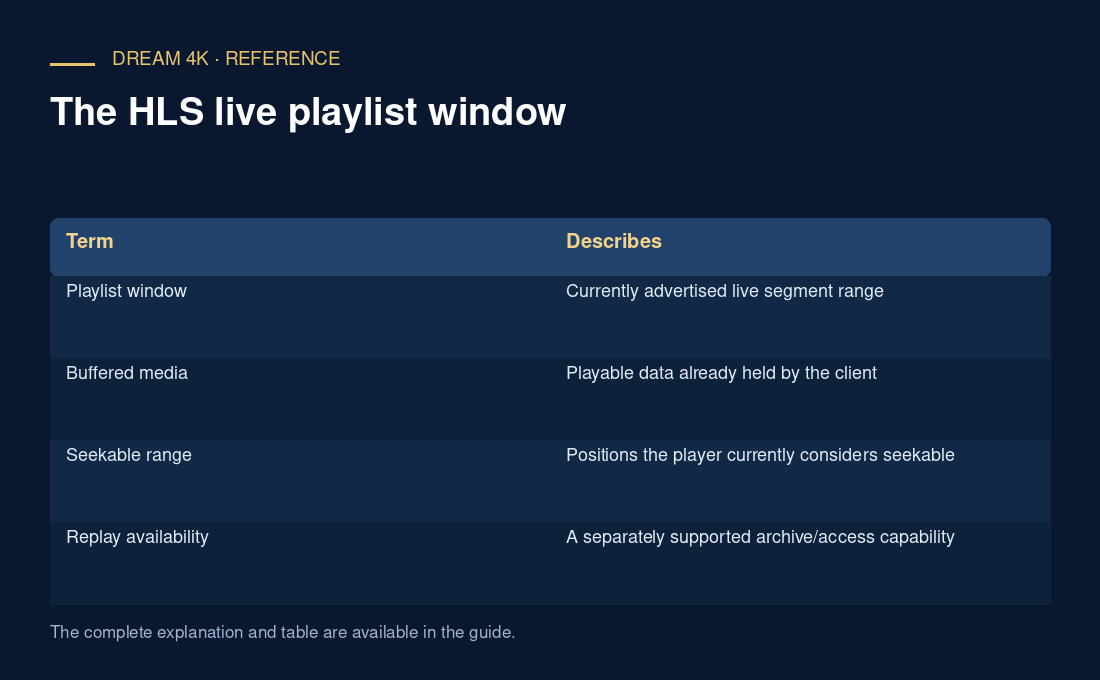
| Term | Describes |
|---|---|
| Playlist window | Currently advertised live segment range |
| Buffered media | Playable data already held by the client |
| Seekable range | Positions the player currently considers seekable |
| Replay availability | A separately supported archive/access capability |
Investigate expiry with two snapshots
Record the playlist when pausing if diagnostics permit, then compare it with the current playlist after resuming. Check whether the old requested resource is still listed. A failure for a resource outside the current window has a different context from a current playlist explicitly referencing an unavailable segment. Do not turn a changing window into an unsupported promise of unlimited pause or DVR capability.