
In this guide
Check both ends and the reported modeUnits and payload still differPreserve automatic supported configurationEthernet link speed describes a local connection between endpoints such as a device and a switch or router port. Auto-negotiation and supported hardware determine an appropriate operating mode under the relevant implementation.
A 100 Mbit/s or 1 Gbit/s indication is not the same as measured media throughput. It also is not a universal verdict on whether a particular video configuration can play.
Check both ends and the reported mode
The client port, upstream port and cabling path contribute to the available link. A device with a lower supported maximum will not negotiate a higher rate merely because the router can. An unexpected lower result on equipment expected to support more needs a documented hardware/cabling check.
An original hypothetical player has a documented 100 Mbit/s port and connects to a gigabit router. A 100 Mbit/s link is not automatically a fault. Another setup with gigabit support at both ends negotiating lower presents a different question.
Units and payload still differ
One hundred megabits per second corresponds to 12.5 decimal megabytes per second before protocol overhead. Application payload is lower under actual conditions, and the internet path can constrain it further. A service’s encoded rate is another quantity.
There is no defensible rule that every 4K source needs gigabit Ethernet: codecs, bit rates, peaks and other traffic vary. Likewise, a fast local link does not guarantee that remote media arrives in time.
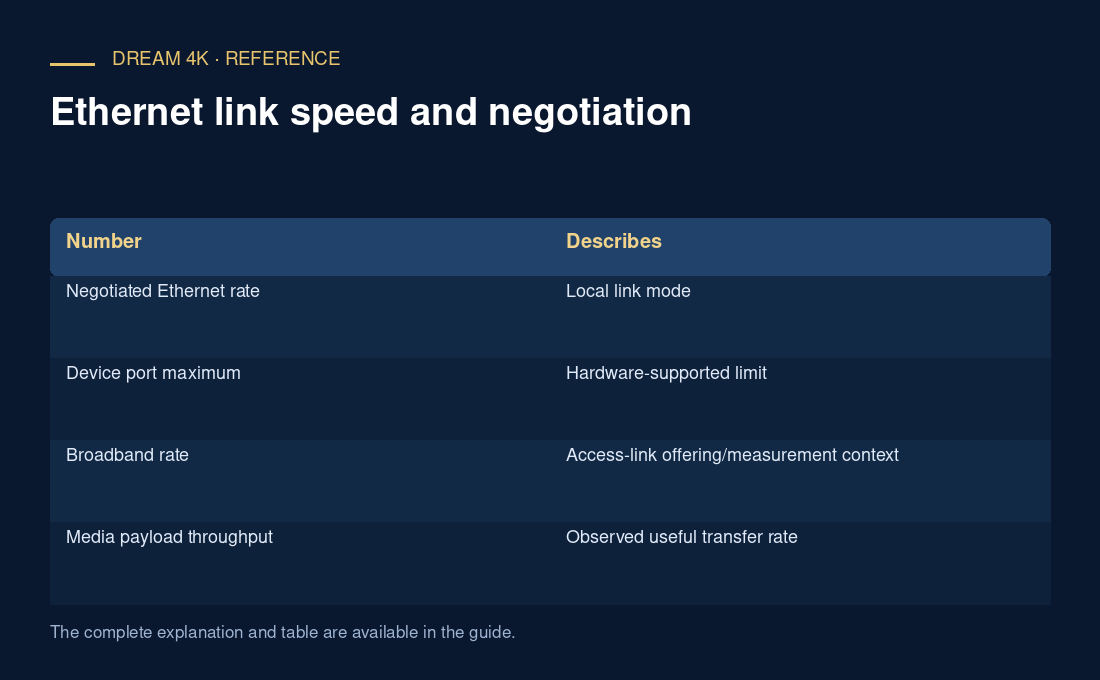
| Number | Describes |
|---|---|
| Negotiated Ethernet rate | Local link mode |
| Device port maximum | Hardware-supported limit |
| Broadband rate | Access-link offering/measurement context |
| Media payload throughput | Observed useful transfer rate |
| Encoded bit rate | Data allocation of the selected media |
Preserve automatic supported configuration
Follow current manufacturer guidance for negotiation and duplex rather than forcing unrelated values. Cisco documents the need to match supported configurations and the role of auto-negotiation. A speed label alone is not sufficient evidence to change advanced settings.
For a comparison, record device, ports, cable path, negotiated mode and actual media behavior. This local baseline can help separate wireless conditions from other failures without promising a universal wired cure.