
In this guide
What the actual model references sayUse the installed Android value for an app requirementA model suffix can matter beyond softwareApply the result to a supported phone appPhone manufacturers use names such as MagicOS, ColorOS and HyperOS for their software experience. Those version labels are not interchangeable with the Android version required by a player. Read both the manufacturer label and the installed Android information.
Product specifications are useful identification references. They can describe the software supplied with a model while later updates change the unit in your hand.
What the actual model references say
The following labels come from the manufacturers’ model specifications. They are reference entries, not a claim that every phone still runs that release today.
| Model | Published reference label |
|---|---|
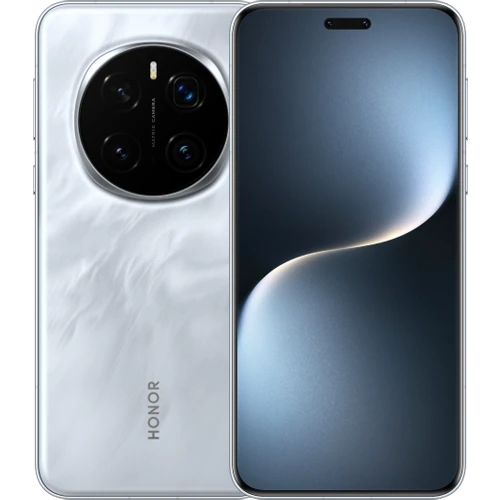
| HONOR Magic7 Pro | MagicOS 9.0 based on Android 15 |
| OPPO Find X8 Pro, CPH2659 | ColorOS 15.0 |
| Xiaomi 15 | Xiaomi HyperOS 2 |
| Redmi Note 14 Pro+ 5G | Xiaomi HyperOS; no numbered version added here |
| POCO F7 Pro | Xiaomi HyperOS 2 |
Use the installed Android value for an app requirement
Google’s Android guidance locates Android version information under Settings > About phone or About tablet > Android version. Manufacturer layouts can differ, so use the equivalent named information screen on the phone.
Keep Android version, security update date, Google Play system update and build number separate. A recent security date is not itself the Android release number. Likewise, HyperOS 2 does not mean Android 2, and ColorOS 15 should not be interpreted by analogy with another manufacturer’s numbering.
A model suffix can matter beyond software
Use the full regional model where available. OPPO identifies the Find X8 Pro reference as CPH2659 and notes its OS information can change through updates. Redmi Note 14 Pro+ 5G should not lose its Plus or 5G suffix when choosing device support.
Accessory support also needs an exact specification. OPPO’s reference, for instance, distinguishes digital USB-C headphones from analog USB-C headphones. A connector’s appearance alone cannot establish the accessory behavior.
Apply the result to a supported phone app
Choose the phone edition of the player, compare its actual Android minimum and verify the required distribution source. An APK designed for a remote-controlled box may not provide an appropriate touch interface.
When reporting an installation problem, name the phone, Android version, manufacturer software label and player. This gives the developer usable compatibility information without assuming that the logo or product launch software guarantees present-day support.