
In this guide
Capture exact useful factsKeep service permissions separateAvoid unnecessary identifiersMaintain the current contextA device-context record can help support choose the correct manufacturer or player instructions. It should identify the relevant model and software, not accumulate every device a customer has ever owned. Keep the record tied to the current task and update it after a confirmed change.
Capture exact useful facts
Record the device model, operating-system version, player name and app version where they affect the issue. Include whether the device is current, retired or inaccessible. A marketing label such as smart TV may not identify the platform needed for technical guidance.
Keep service permissions separate
The number of devices in the record does not establish simultaneous-use entitlement. Ask the service provider for applicable conditions when the customer plans a replacement, spare or concurrent use. A player’s supported installation list is another separate source.
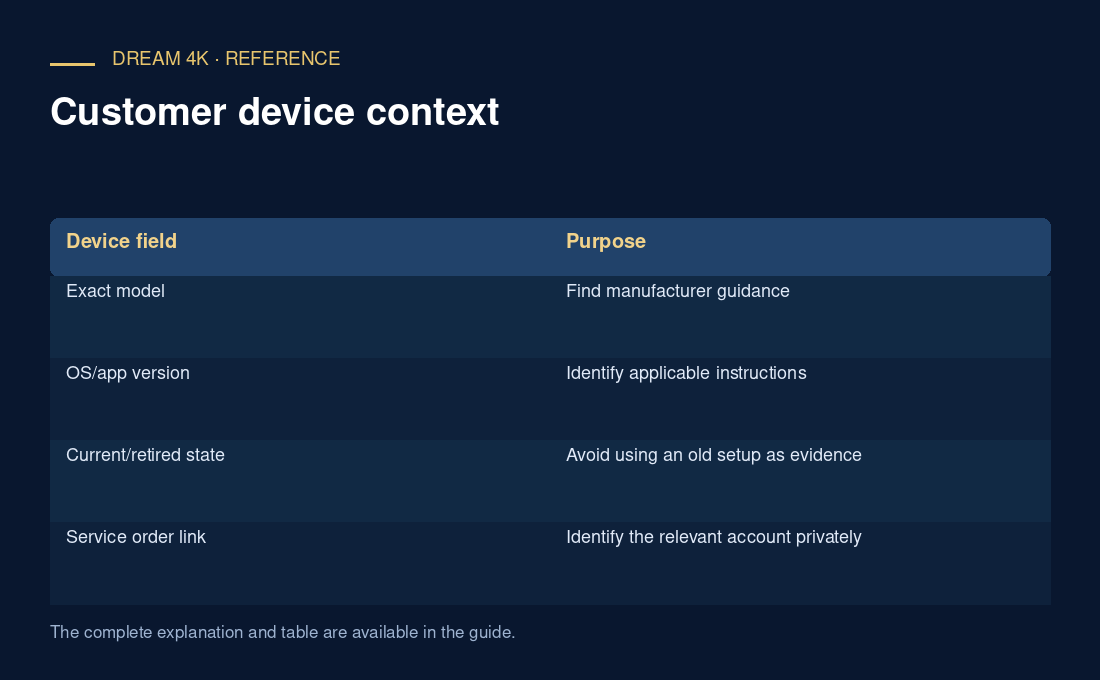
| Device field | Purpose |
|---|---|
| Exact model | Find manufacturer guidance |
| OS/app version | Identify applicable instructions |
| Current/retired state | Avoid using an old setup as evidence |
| Service order link | Identify the relevant account privately |
Avoid unnecessary identifiers
Do not collect hardware serial numbers, full network details or personal account values unless the actual support process needs them. If a provider requires a particular device identifier for an authorised action, explain its purpose and use the appropriate private route. Keep unrelated device information out of public examples.
Maintain the current context
After a device replacement, update the record and preserve any relevant earlier observation separately. Do not silently apply an old troubleshooting result to a new model. This procedure is a context record, not a compatibility test or a promise that a service or player works on the listed device.
Questions about this guide
Should a screenshot of the device information page be stored permanently?
Only if it serves a defined purpose under the actual record process. A concise transcription of relevant model and version fields may be sufficient. Review images for serial numbers, network identifiers and personal account details before sharing or retaining them.