
In this guide
What happens between the programme and the screen?Live, on demand and replay are different capabilitiesThe player, subscription and device have separate jobsWhat determines picture and sound quality?Why can playback pause even on a fast connection?What should you verify before relying on a setup?IPTV stands for Internet Protocol television. At its core, it concerns television and related media delivered through IP networks rather than describing one app, one channel list or one subscription company. The pictures and sound still need to be encoded, delivered, decoded and presented by a suitable client.
In formal ITU terminology, IPTV refers to multimedia services over IP networks managed for defined service-quality and related requirements. Everyday retail usage is often broader and includes products delivered across the public internet. That difference matters: the word IPTV alone does not tell you which network is controlled, what delivery method is used or which guarantees actually exist.
What happens between the programme and the screen?
A source produces audio and video. An encoding stage represents those signals in codecs, and packaging makes the samples available in structures the client can use. A delivery system then carries the resources to a player, which parses them, selects tracks, decodes the samples and sends picture and sound through the device’s output path.
HTTP-based systems commonly describe the media through HLS playlists or a DASH MPD manifest. Those descriptions can offer alternatives and reference separate video, audio, subtitle and initialization resources. They are instructions for obtaining media, not the entire programme stored inside a small text link. Other IP television designs use different transport and service architectures.
Live, on demand and replay are different capabilities
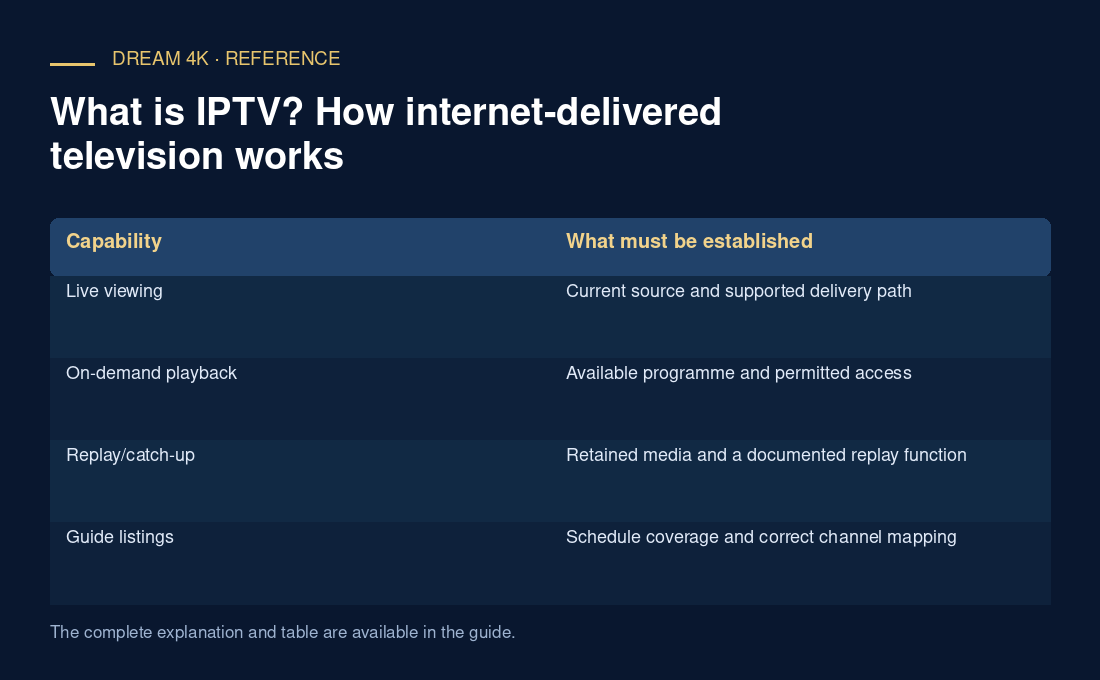
A live presentation advances as new media is published. On-demand media describes an available programme that the viewer can start independently. Replay or catch-up requires retained content and an authorized way to request it; it does not automatically follow from a guide listing or a pause button.
An original hypothetical live playlist advertises only a recent moving window. A player paused beyond that window may need to return toward live rather than resume an old position. A separate on-demand programme can expose a much longer seekable timeline. Both use IP delivery, but they offer different temporal access.
| Capability | What must be established |
|---|---|
| Live viewing | Current source and supported delivery path |
| On-demand playback | Available programme and permitted access |
| Replay/catch-up | Retained media and a documented replay function |
| Guide listings | Schedule coverage and correct channel mapping |
| Recording | Specific supported function and applicable permissions |
The player, subscription and device have separate jobs
A player is software that handles a supported media/account input and playback controls. A service supplies the account and media access under its own terms. The device supplies operating-system, decoder, network and output capabilities. A separate player licence may exist, depending on the product.
Installing an app does not establish an active streaming account, and a subscription does not prove that every third-party player is included. Likewise, a device logo or a generic format claim does not establish exact-model compatibility with every source. Check the current player, platform and service information for the intended combination.
What determines picture and sound quality?
Resolution is only one attribute. Source quality, codec configuration, bit rate, frame rate, bit depth and colour/transfer handling all affect the result. A 4K output signal can contain scaled media, while a higher-resolution source can still look soft if its original detail or encoding is limited.
Audio adds its own choices: language, listening role, codec, channel layout and output path. Captions and audio description are separate accessibility features with item-specific availability. A working picture does not test every audio or text dependency, and a familiar poster or logo does not establish current source inclusion or app membership.
Why can playback pause even on a fast connection?
The player needs useful media before its presentation deadlines. A separate speed test measures one path and interval; the actual media request can involve another host, network condition or device link. Repeatedly late segments can consume buffered media even when an unrelated test reports a high number.
A freeze can also come from a missing resource, a decoder error, a transition or a display issue. Use the exact symptom and first failed stage. A short authorized observation is evidence for that session, not a statistical uptime guarantee, a universal minimum speed or a promise of zero buffering.
What should you verify before relying on a setup?
Confirm the intended device/player, exact account-input method, selected media support, viewing requirements and published account terms. Check the full term cost, connection allowance, any player fee and the support route rather than inferring them from a quality badge. Verify the specific programme, language or accessibility option that matters to you.
The delivery technology does not establish content rights, geographic permissions or a provider’s entitlement to distribute a particular item. Those are separate facts to verify through appropriate first-party information. A practical evaluation records what was documented, what was actually observed and what remains unresolved, without turning the word IPTV into a blanket legal or compatibility claim.