
In this guide
Verify what is actually being presentedChoose a fair comparison sceneReport observable defects rather than invented metricsA 4K option can look softer than a lower-resolution alternative for reasons that the dimension label does not describe. The higher-resolution file may come from a softer source, use different compression or undergo additional processing. The player may also have selected another rendition than the menu suggests.
Begin by identifying the actual source configuration and a repeatable scene. Avoid judging from two different programmes, different camera shots or a paused interface overlay.
Verify what is actually being presented
Record the selected encoded dimensions, codec, frame rate and available bit-rate information. Keep those separate from the device’s HDMI output mode. A 4K output signal can carry scaled lower-resolution media, so the television’s information panel is only one observation.
In an original hypothetical comparison, a 1080p rendition comes from a detailed source while a 2160p rendition was enlarged from a softer master. The latter contains more pixel positions but cannot recover detail absent from its source. This example illustrates a possibility; it is not a claim about any provider’s mastering chain.
Choose a fair comparison scene
Use the same programme version and a stable scene with useful texture, edges and motion. Keep display sharpness, noise reduction and picture mode unchanged during the comparison. An artificial sharpness edge is not necessarily preserved source detail, and a clean still frame does not reveal motion compression behavior.
Bit rate should also be interpreted with codec, content and encoder choices. A larger number is not a complete quality score across unrelated sources. Conversely, a high-resolution label does not prove enough data was allocated to retain the scene’s complexity.
Report observable defects rather than invented metrics
Describe softness, blocking, ringing, lost texture or motion breakup at a specific position. If a rendition switch occurred, record when and which track was selected. Do not claim a measured objective quality score unless a proper method and reference were actually used.
A useful report includes the two configurations, scene position, display conditions and observed difference. If only the dimensions are known, say that the source and encoding remain unconfirmed. The result can justify further source/encoding investigation without promising that a higher resolution always looks better or that an arbitrary bit rate guarantees a particular quality.
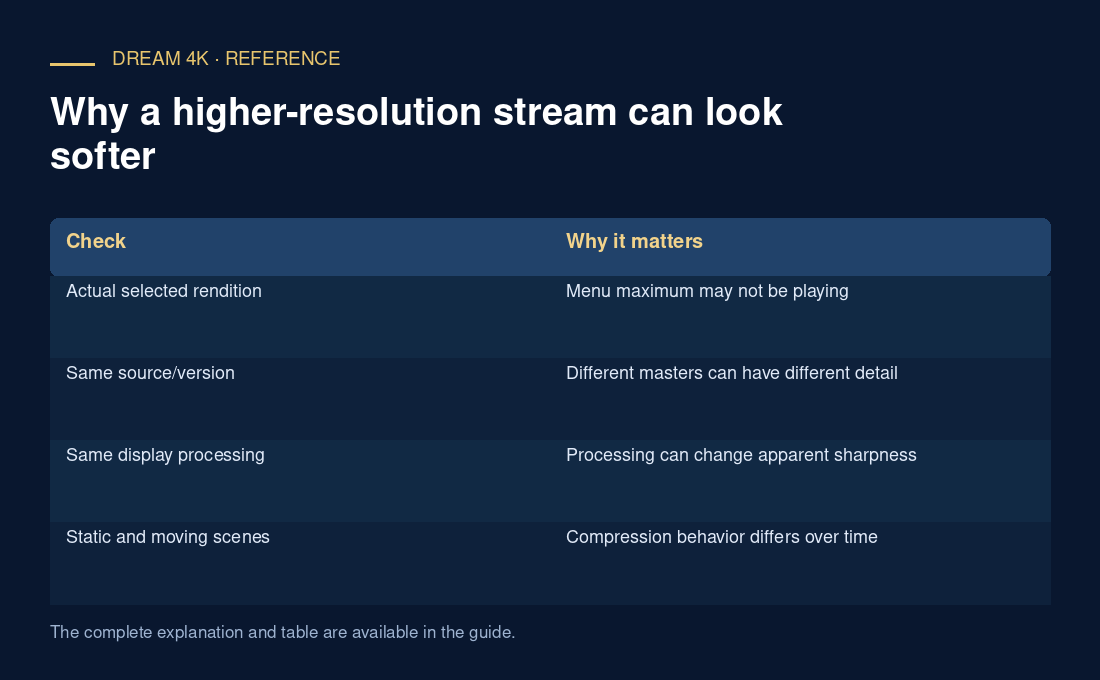
| Check | Why it matters |
|---|---|
| Actual selected rendition | Menu maximum may not be playing |
| Same source/version | Different masters can have different detail |
| Same display processing | Processing can change apparent sharpness |
| Static and moving scenes | Compression behavior differs over time |