
In this guide
Establish the supported maximum at both endsRelate the link to the actual workloadMake a documented reversible comparisonA 100 Mbit/s Ethernet indication can be normal for a device whose port supports that rate, even when connected to a faster router. It can also be an unexpected negotiation result on a path intended to support more. Those cases need different evidence.
Start with exact hardware specifications and the actual media behavior. Do not use a 4K label alone to declare that a gigabit link is mandatory.
Establish the supported maximum at both ends
Check the exact device model and connected router/switch port. Record the cable path and negotiated mode. If the client is specified for 100 Mbit/s, seeing that rate does not show a downshift from gigabit. If both ends support more, use their documented cable/port troubleshooting procedure.
In an original hypothetical comparison, device A has a 100 Mbit/s port and device B has a gigabit port. Their different link indications reflect different hardware capability. That fact does not by itself compare their decoders, remote media paths or playback quality.
Relate the link to the actual workload
One hundred megabits per second is 12.5 decimal megabytes per second before overhead. The useful application rate can be lower, and a remote source can deliver more slowly than the local link permits. Record actual segment payload, duration and transfer timing when diagnostics expose them.
A compressed source’s average and peak requirements vary with content and encoding. Avoid a universal bandwidth minimum based only on resolution. Conversely, a gigabit local connection cannot repair an unavailable segment, failed authorization or unsupported decoder configuration.
Make a documented reversible comparison
Use another known suitable cable or supported port if the expected negotiation is not reached, recording one change at a time. Preserve automatic supported speed/duplex behavior unless the manufacturer’s specific procedure says otherwise. Do not copy switch commands intended for unrelated enterprise hardware.
A useful report states supported limits, negotiated mode, physical path and media request/buffer observations. If playback is steady, the lower label may be merely informational. If delivery is late, the local rate is one constraint to assess among the full path. The conclusion should follow the actual configuration rather than a headline number.
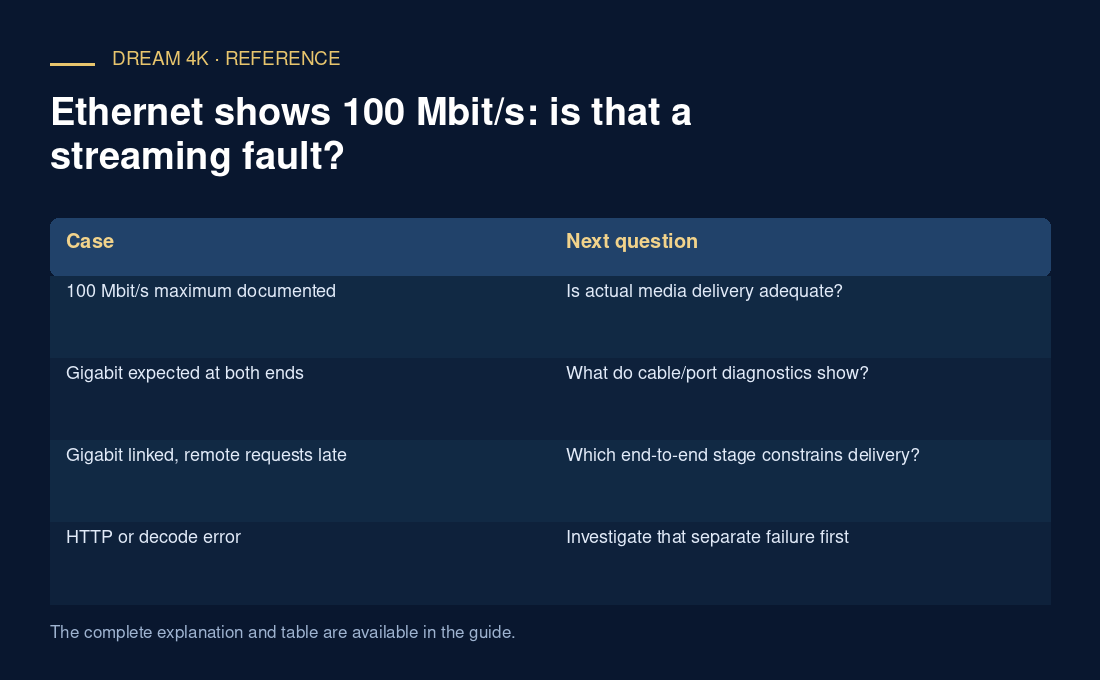
| Case | Next question |
|---|---|
| 100 Mbit/s maximum documented | Is actual media delivery adequate? |
| Gigabit expected at both ends | What do cable/port diagnostics show? |
| Gigabit linked, remote requests late | Which end-to-end stage constrains delivery? |
| HTTP or decode error | Investigate that separate failure first |