
In this guide
Check whether matching is enabledCompare the transition with the request timelineUse one reversible supported comparisonA short blank screen exactly when a video starts or finishes can be a display-format transition. A streaming device may switch refresh rate or dynamic range to match the content, then return to its interface mode afterward.
That pattern is different from a long freeze during steady playback. Record the timing, output-mode change and whether playback resumes before deciding that the network or source failed.
Check whether matching is enabled
Use the device’s current documentation to locate any frame-rate or dynamic-range matching setting. Record its state rather than changing several picture controls at once. Apple specifically documents possible blanking or flicker when a television switches between supported formats.
In an original hypothetical session, the interface runs in one output mode, a film starts in another, and the display blanks briefly during the switch. Media then plays continuously. That sequence supports a mode-transition explanation; it does not establish an interruption in segment delivery.
Compare the transition with the request timeline
Note whether audio continues, whether the app reports a media error and whether network requests fail at the same time. A display reporting a new input format is useful evidence. If the player buffer empties during a prolonged wait, investigate that separate delivery pattern rather than assuming every black screen is expected.
A format switch can also fail or take longer on a particular device chain. Exact display, receiver, cable path and settings matter. Do not make a universal claim about normal duration or compatibility from a manufacturer’s general description.
Use one reversible supported comparison
If the device documentation offers a suitable matching control, compare its effect while preserving source and output details. A fixed mode can change cadence or dynamic-range handling, so note those tradeoffs rather than judging only whether the blanking disappears. Restore the intended supported configuration after the observation.
A useful report states the before/after output modes, matching settings, duration observed, device chain and whether media requests or playback errors occurred. It distinguishes a short transition from a persistent no-picture problem. Avoid treating an HDMI-mode event as proof that DNS, broadband or the content server is at fault.
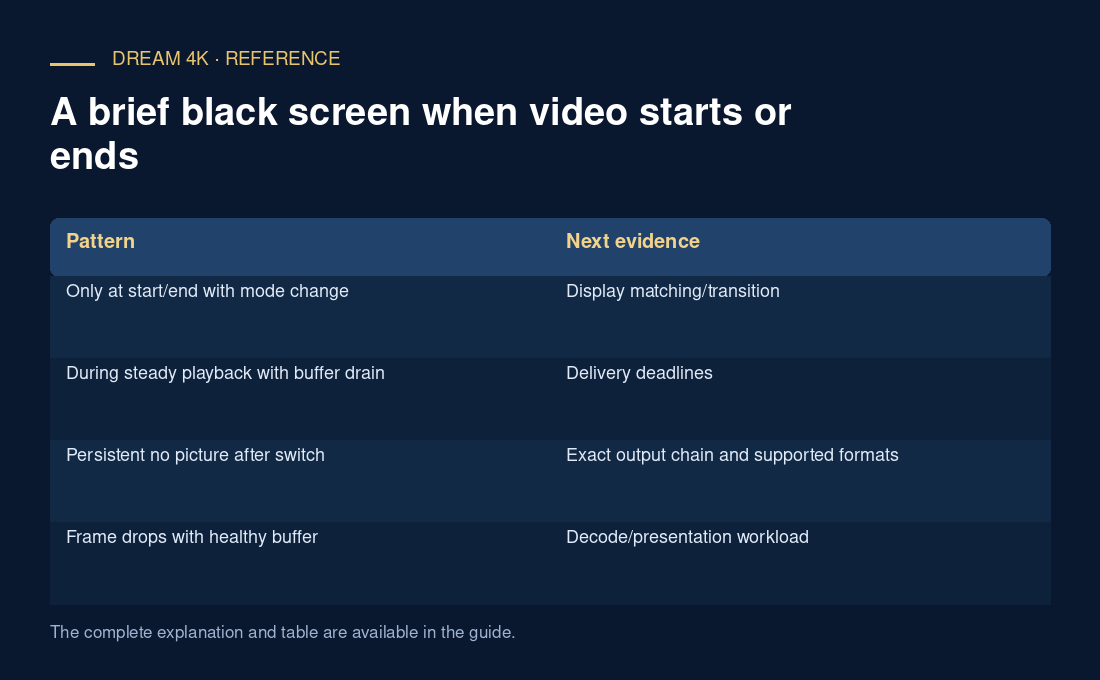
| Pattern | Next evidence |
|---|---|
| Only at start/end with mode change | Display matching/transition |
| During steady playback with buffer drain | Delivery deadlines |
| Persistent no picture after switch | Exact output chain and supported formats |
| Frame drops with healthy buffer | Decode/presentation workload |