
In this guide
Start from a known referenceVerify a new instruction independentlyKeep the opening message minimalRecord the resultA display name, logo or familiar profile photograph does not establish who controls a message account. Before discussing a service order, use a contact route obtained from the official service page or the established original purchase conversation. Treat unexpected changes in payment or recovery instructions as a reason to verify through that known route.
Start from a known reference
Dream’s published contact is +44 7532 814802, with the WhatsApp destination https://wa.me/447532814802. Open the current contact page or compare the destination carefully before starting an account conversation. A message forwarded by another person may preserve the brand name while changing the destination.
Verify a new instruction independently
If an unsolicited message says your account will expire immediately or asks you to use a different payment destination, pause and verify through the known route. State the instruction you received without sending passwords, recovery codes or a payment-card image. Good spelling and a professional logo are not enough to verify an identity.
Keep the opening message minimal
Use an order reference and a concrete question. You can ask whether the message is genuine before discussing account changes. If the conversation requests unrelated email login codes, remote device control or financial-account access, use the relevant account provider’s security guidance and stop the unrelated disclosure.
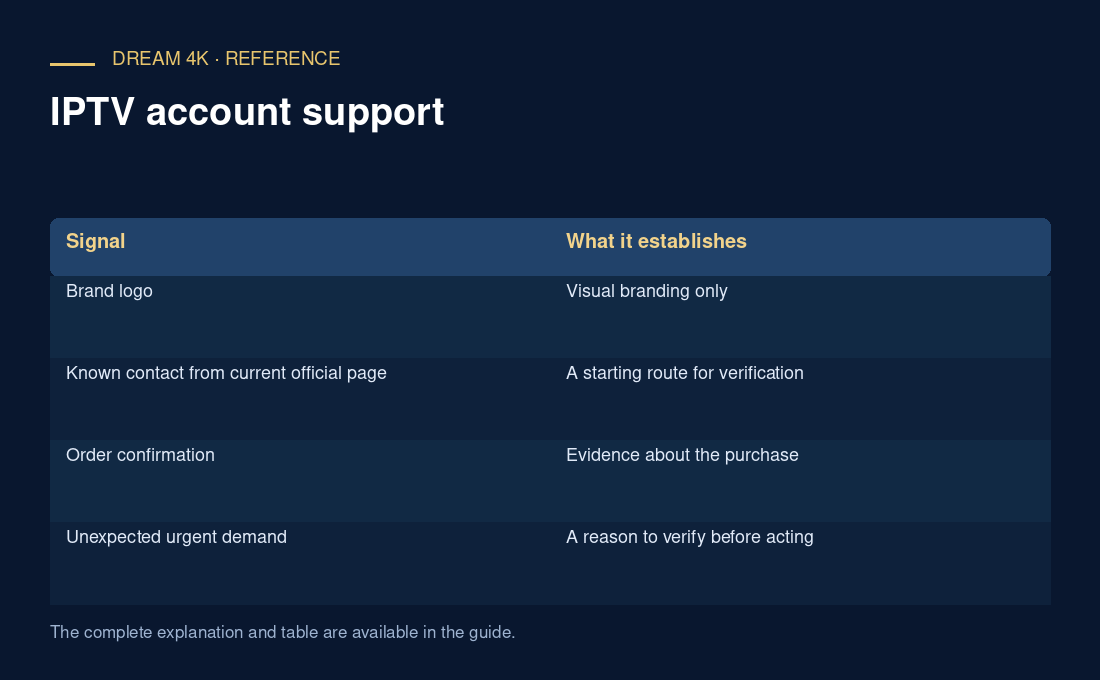
| Signal | What it establishes |
|---|---|
| Brand logo | Visual branding only |
| Known contact from current official page | A starting route for verification |
| Order confirmation | Evidence about the purchase |
| Unexpected urgent demand | A reason to verify before acting |
Record the result
Keep the date and source of a confirmed contact change if the provider issues one. Do not silently replace the saved contact based on a single unsolicited message. If a mistake has already exposed details, document the specific exposure and ask the responsible account provider for containment. No support response-time or payment-method promise is established by this guide.
Questions about this guide
Is the browser padlock enough to prove the seller is genuine?
No. Encryption protects the connection to the site you opened; it does not by itself verify every claim made by that site. Check the intended domain and use the known service route. Do not follow an unexpected login or payment link simply because its page uses HTTPS.