
In this guide
Choose a label for a human taskKeep a private cross-referenceRename carefullyUse the order in support conversationsLocal player labels are a convenience for people using the screen. They can be changed without changing the underlying service account. A clear label should help a household choose the correct saved setup while the private account record preserves the actual order identity.
Choose a label for a human task
Prefer a simple device or purpose label such as “Living room current.” Avoid placing the password, complete playlist address, personal phone number or card details in the label. If the player appears on a shared television, assume the label may be seen by visitors or captured in a photo.
Keep a private cross-reference
In the account record, map the local label to the original order reference and a masked identifier. Distinguish retired profiles clearly so they are not accidentally renewed. Do not rely on a date in the label as proof of the service end date; dates should come from their recorded confirmation.
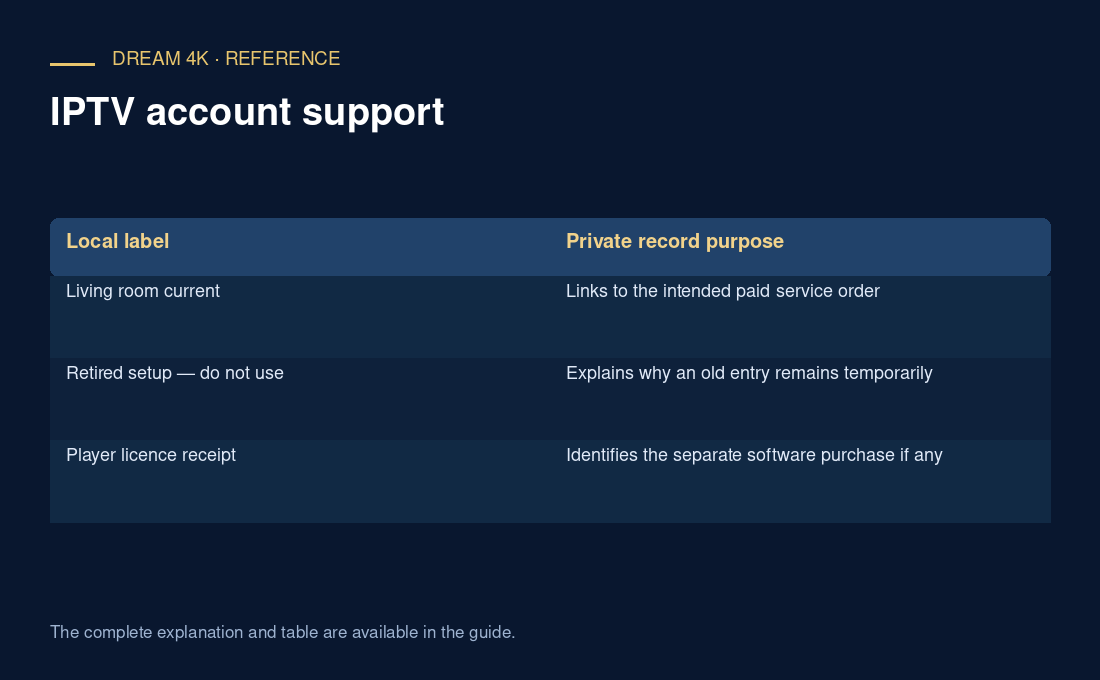
| Local label | Private record purpose |
|---|---|
| Living room current | Links to the intended paid service order |
| Retired setup — do not use | Explains why an old entry remains temporarily |
| Player licence receipt | Identifies the separate software purchase if any |
Rename carefully
Check that the app allows renaming without editing connection fields. Follow its documented controls, then confirm that the intended profile still opens. If renaming also requires re-entering details, stop until the protected original delivery information is available. Keep the old and new labels in the handover note long enough to avoid confusion.
Use the order in support conversations
An illustrative household may have three screens all labelled “My TV.” A photo of that label alone cannot establish which subscription needs help. The original order reference and app/device context resolve the question. A tidy label reduces daily mistakes; it does not replace service-side ownership verification or expand any connection allowance.
Questions about this guide
Can two local profiles point to the same service account?
They may, depending on how the app was configured. Two visible labels do not prove that two service subscriptions exist. Compare them privately with the original order record and ask the provider when needed. Do not interpret duplicate entries as permission for additional simultaneous use.