
In this guide
Match labels before entering valuesCopy the supplied value accuratelyAsk for a safe clarificationKeep the method in the account recordProvider instructions may supply a server address with a username and password, a playlist link, or another app-specific connection method. The delivery format should match the supported input method in the chosen player. Do not turn an unfamiliar field into a guessed address or ask a public forum to inspect a complete credential link.
Match labels before entering values
Compare the provider’s labels with the player’s labels. A display name is often your own local label; it is not necessarily a service username. A server address and a complete playlist link are different input shapes. If the instructions are ambiguous, ask the provider which method was issued and the developer which method the exact player supports.
Copy the supplied value accurately
Use the original private delivery message as the reference. Check for accidental leading spaces, wrapped lines or missing characters when copying. Preserve the supplied scheme and path rather than changing them as a troubleshooting experiment. Do not replace a hostname with one found in an unrelated tutorial.
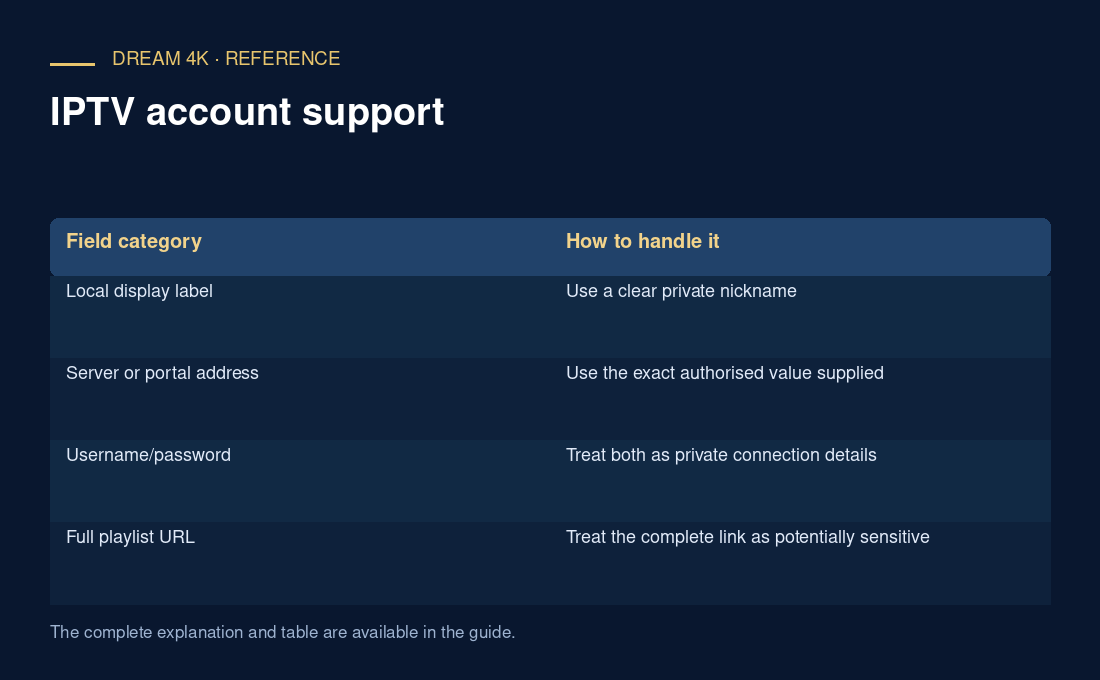
| Field category | How to handle it |
|---|---|
| Local display label | Use a clear private nickname |
| Server or portal address | Use the exact authorised value supplied |
| Username/password | Treat both as private connection details |
| Full playlist URL | Treat the complete link as potentially sensitive |
Ask for a safe clarification
A support request can say “the player requests a server field but my message contains one complete link” without including that link. Add the app’s exact name and the field labels. If support needs a sensitive value, agree an appropriate private verification method first; a screenshot of every field is rarely the best opening message.
Keep the method in the account record
Record only the method name and where the protected delivery details are stored. This makes later device changes easier without duplicating secrets. An account working through one input format does not establish that every player supports that format or that a separate app licence is included.
Questions about this guide
Should I send support a rewritten example of my connection details?
Describe the field labels and method instead. Rewriting a real address can accidentally preserve a password or token, while changing characters may make the example misleading. If an example is needed, use clearly fictional placeholders with no live hostname or secret, and identify it as illustrative.