
In this guide
Read the purchase descriptionUse the cancellation control, not removalClarify the service separatelyKeep a dated resultA player subscription and a service subscription may be separate purchases. Cancelling one does not establish the state of the other. Start by identifying the receipt and merchant for the purchase you intend to change, then follow that seller’s applicable process.
Read the purchase description
Find the exact item, account and billing route. If Apple billed it, Apple provides its subscription-management process. If Google Play billed it, use the correct Google account and Play subscription controls. If another company billed it, ask that company. Do not infer the merchant from the app icon alone.
Use the cancellation control, not removal
Google Play explicitly states that uninstalling an app does not cancel a Play subscription. Use the actual subscription-management process for the purchase. Check the confirmation displayed by the store and retain it with the software receipt. Device removal, local profile deletion and commercial cancellation are distinct actions.
Clarify the service separately
If you also want to change or stop a service order, contact its responsible seller and ask what process applies. Dream’s published full-term totals do not establish an automatic-billing or cancellation mechanism here. Do not assume that a store cancellation changed the provider’s service account.
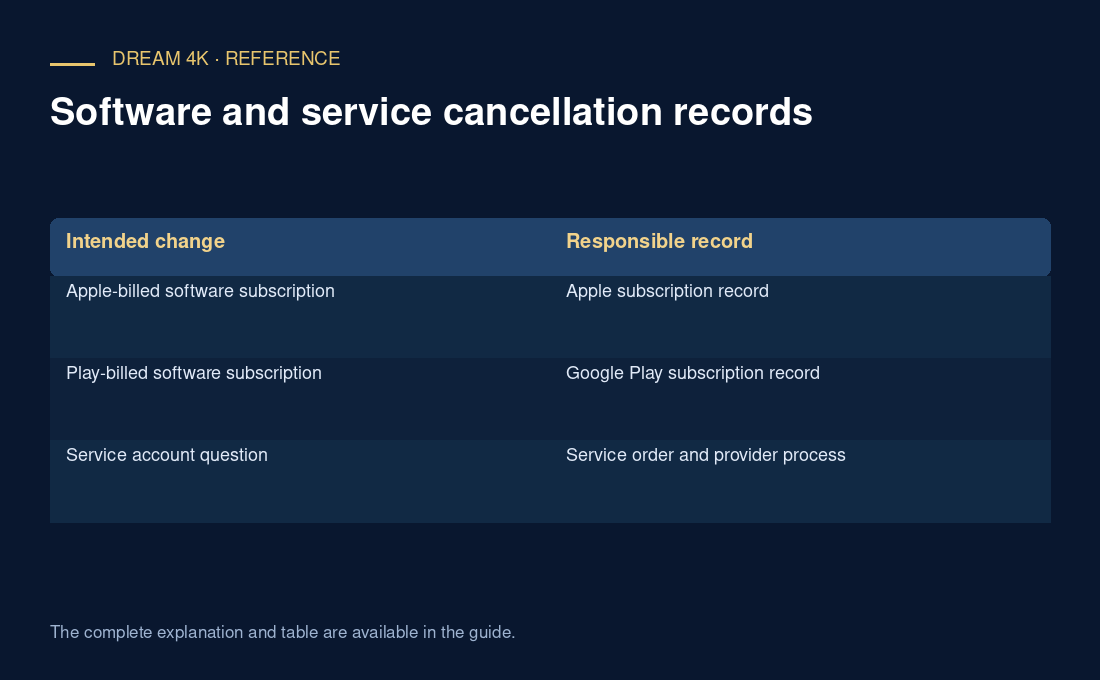
| Intended change | Responsible record |
|---|---|
| Apple-billed software subscription | Apple subscription record |
| Play-billed software subscription | Google Play subscription record |
| Service account question | Service order and provider process |
Keep a dated result
Record the item, merchant, request date and confirmation. Distinguish an action completed in the store from an unanswered request sent elsewhere. If a renewal or refund question remains, use the relevant party’s current instructions rather than promising an outcome from this general guide.
Questions about this guide
Does this guide confirm that my software purchase is recurring?
No. Inspect the actual purchase and its terms. Some software items may be one-time purchases while others may use subscriptions or other arrangements. The relevant receipt and store record establish which process applies to your item.