
In this guide
Specific input improves the questionThe return values are not quality gradesUse the right tool for the next questionThe HTMLMediaElement canPlayType method asks a browser about a described media type. It returns an empty string, maybe or probably, depending on its assessment. The input can include a container MIME type and codec information.
The result is a capability hint for that description. It does not fetch the media, validate every encoded sample, check an account or measure the network. A probably result is therefore not a guarantee that a particular private stream will play.
Specific input improves the question
A broad type such as video/mp4 does not fully identify the video and audio formats inside the container. A codecs parameter supplies more information. The description still needs to be valid and relevant to the actual media; an incorrectly declared codec string can make the question misleading.
An original hypothetical comparison asks about a generic MP4 container and then about the same container with a declared codec configuration. Different answers reflect different questions, not a browser contradicting itself.
The return values are not quality grades
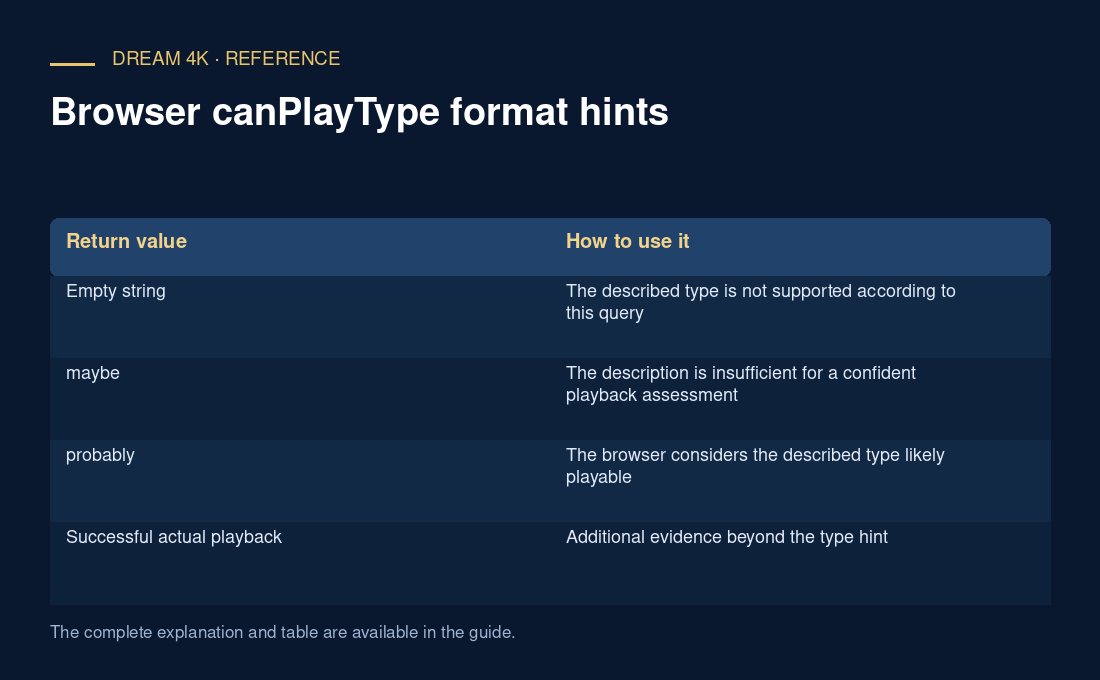
| Return value | How to use it |
|---|---|
| Empty string | The described type is not supported according to this query |
| maybe | The description is insufficient for a confident playback assessment |
| probably | The browser considers the described type likely playable |
| Successful actual playback | Additional evidence beyond the type hint |
Use the right tool for the next question
MediaCapabilities decodingInfo can ask a more configuration-specific question, including characteristics such as dimensions, bit rate and frame rate. Actual playback remains necessary to observe delivery, decoder behavior and rendering under current conditions.
For a failure report, retain the exact input string, browser version and returned value. Do not simplify the result to “all MP4 works” or “this device cannot do streaming.” The same browser can encounter an unsupported audio track inside an otherwise recognized container, an authorization failure or invalid media despite a favorable type hint.
Developers should use these hints to choose sensible supported sources, then handle real playback errors and user interaction requirements. They should not suppress errors because a capability query previously returned probably.