
In this guide
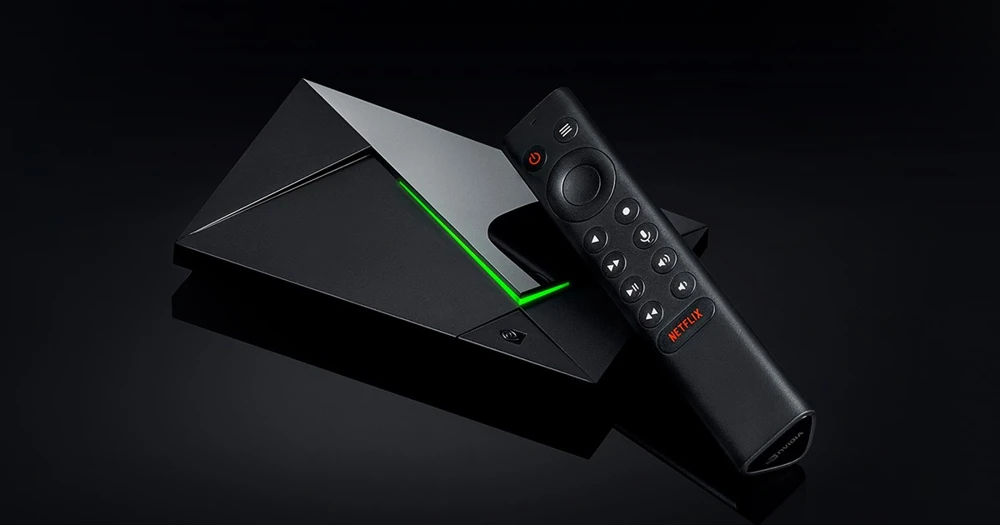
Separate local media from service streamingInstall for the Android TV interfaceAssess the complete playback chainNVIDIA’s SHIELD TV Pro specification lists 3 GB RAM, 16 GB storage, two USB 3.0 Type-A ports and Gigabit Ethernet. It is a different hardware configuration from the tube-shaped SHIELD TV and from older Pro models with other storage arrangements.
Use the product model and generation when choosing a player or following a storage guide. “SHIELD Pro” on an old forum answer is not enough to identify the unit being discussed.
Separate local media from service streaming
The Pro can use USB storage, and NVIDIA’s support material describes Plex client and server functions. A local media server organizes files you supply; it does not add access to an unrelated IPTV service. Those are separate workflows even when they use the same television.
Choose where an app’s files and settings live before making storage changes. Formatting or changing the role of a drive can affect its contents, so follow the current NVIDIA instructions for the actual operation. Do not copy an old microSD recipe written for a different SHIELD generation.
Install for the Android TV interface
Use the selected player’s Android TV listing and read its requirements. NVIDIA supplies the device firmware; the app developer supplies the application. A service login belongs to the player’s supported input method, not to the device’s system updater.
If you use a separately distributed Dream Android package, confirm that exact build with support. The package’s Android-box or Smarters label does not establish its support on the Pro’s current software.
Assess the complete playback chain
NVIDIA lists several HDMI audio pass-through capabilities. Pass-through still depends on the source track, app behavior and receiving sound equipment. It is not evidence that every programme includes the named audio format.
Keep source details, the player’s audio selection and the receiver’s displayed input format separate when checking sound. Likewise, hardware 4K or upscaling support cannot prove a service’s native source resolution. A clear record of each layer makes later support requests more useful.