
In this guide
Confirm what actually arrivedInspect one cue and one playback positionCheck selection and display after parsingA successful subtitle request is not the same as a displayed caption. The response must contain the expected format, the player must parse it, its cues must match the media timeline, and the track must be selected for display.
This workflow applies to a web player or permitted subtitle resource you can inspect. It does not require publishing private media or changing browser security controls.
Confirm what actually arrived
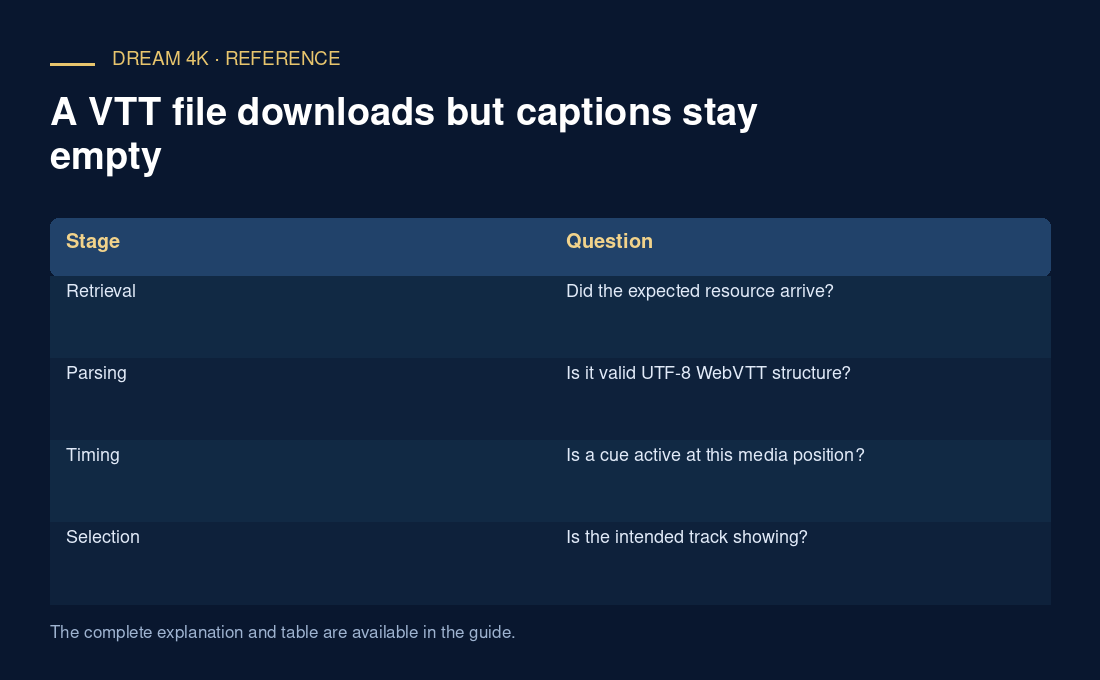
Check the request status and the beginning of the response. A resource named captions.vtt might contain an HTML login page, a JSON error or another subtitle format. WebVTT expects its defined header and UTF-8 text structure; the suffix does not create that structure.
In an original hypothetical case, captions.vtt returns 200 but begins with an HTML document title. The request succeeded at the HTTP layer while the text-track payload is unsuitable. Investigating cue styling first would skip the earliest failed dependency.
Inspect one cue and one playback position
Choose a short cue and verify that its end follows its start and that its timestamps correspond to the media position being viewed. A cue at minute ten will not appear while playback is at minute one. For segmented presentations, the mapping between subtitle timing and the media timeline also needs to be correct.
A renamed SRT file can retain syntax that does not satisfy WebVTT. Use a real conversion or the authoring tool’s WebVTT export when you control the text, then inspect the output. Keep the original so the change is reversible and attributable.
Check selection and display after parsing
Confirm that the intended track is selected and showing rather than disabled or merely loaded for another purpose. If cues are active but invisible, inspect supported placement and styling plus user caption preferences. A rendering issue differs from a file that never produced cues.
A useful report contains response type/shape, a short non-sensitive cue, playback position and track mode. State which stage first failed. Avoid disabling origin checks or certificate validation to force loading; the server and application should provide the permitted resource through a correctly configured path. This preserves both the security model and the diagnostic evidence.
| Stage | Question |
|---|---|
| Retrieval | Did the expected resource arrive? |
| Parsing | Is it valid UTF-8 WebVTT structure? |
| Timing | Is a cue active at this media position? |
| Selection | Is the intended track showing? |
| Rendering | Are active cues visibly placed? |