
In this guide
Measure an early and a late eventLook for a step change as well as a slopeApply and verify only the appropriate correctionA subtitle delay control can help when every cue is displaced by about the same amount. It cannot, by itself, fix a mismatch that grows over time or jumps after a different edit. First measure the pattern at two or more clear points.
Use a permitted programme and avoid changing the player’s audio delay while measuring subtitle timing. Audio, video and text controls can move different parts of the presentation.
Measure an early and a late event
Choose a clear short spoken phrase near the beginning and another well later. Record the media position and whether the subtitle leads or follows the speech, using a consistent sign convention. Exact millisecond precision is unnecessary for distinguishing a large pattern, but the direction must be clear.
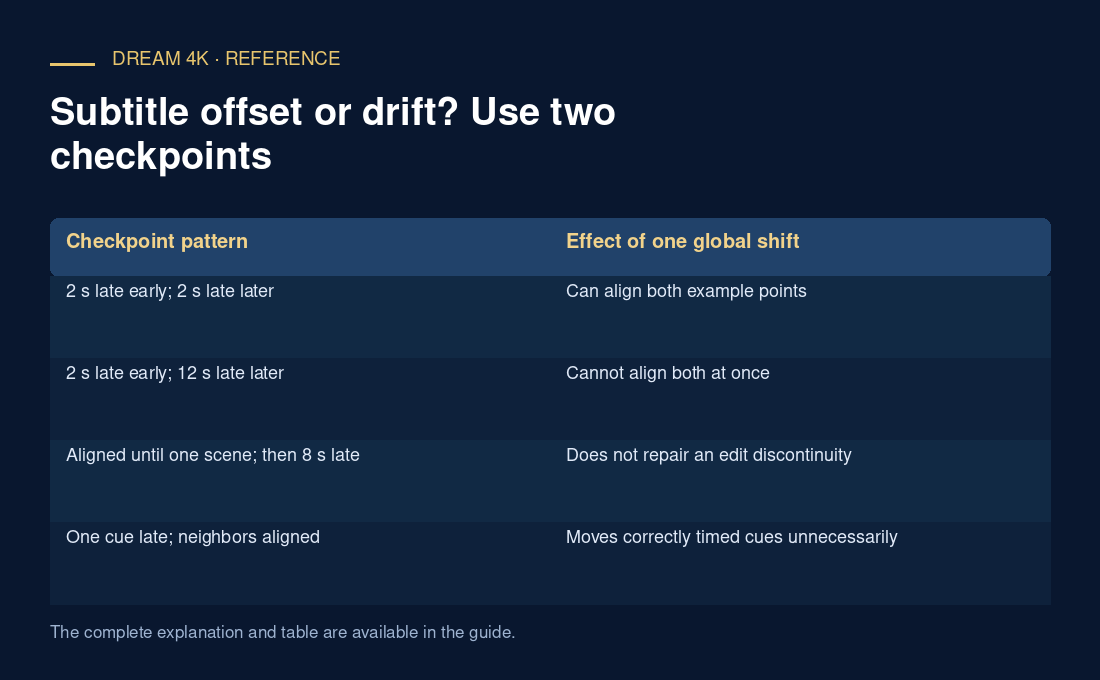
In an original hypothetical test, a cue is two seconds late at 02:00 and two seconds late at 42:00. A minus-two-second text shift could align those points if the edit matches. If the later cue is twelve seconds late instead, a single shift leaves ten seconds of residual disagreement between the checkpoints.
Look for a step change as well as a slope
Check around programme openings, inserted material and scene transitions. A sudden jump can indicate that the subtitle belongs to a different edit. A steadily growing difference can suggest a timing-rate mismatch, but the observation alone does not establish a specific frame-rate conversion error.
One badly timed cue should not trigger a global correction. Compare several neighboring cues. If only one line is wrong while surrounding text aligns, the defect may be local. A global shift would move the correct cues away from their proper positions.
Apply and verify only the appropriate correction
For a subtitle file you control, keep an original copy, make the smallest justified change and recheck the same checkpoints plus a middle point. A shift and a rate adjustment perform different transformations. If the file belongs to another edit, obtaining the matching track may be more appropriate than forcing a global formula.
For a provider track, report the programme version if known, track language, checkpoint positions and observed differences. This gives support a reproducible timing pattern without asserting a cause or promising that every player’s subtitle delay control will solve it.
| Checkpoint pattern | Effect of one global shift |
|---|---|
| 2 s late early; 2 s late later | Can align both example points |
| 2 s late early; 12 s late later | Cannot align both at once |
| Aligned until one scene; then 8 s late | Does not repair an edit discontinuity |
| One cue late; neighbors aligned | Moves correctly timed cues unnecessarily |