
In this guide
Work through the intended shapeCheck one shape control at a timeVerify with known geometry and full-frame contentA 4:3 programme shown correctly on a 16:9 screen can have bars at the sides. Removing those bars by stretching changes the picture’s geometry. Faces can look wide and circles can become ovals even though the screen is now full.
The useful first check is which stage changed the shape: the player’s fit mode, the streaming device’s output processing or the television’s aspect control.
Work through the intended shape
For an original square-pixel example, a 4:3 image fitted to a 1920×1080 screen at full height is 1440×1080. It leaves 240 pixels on each side. Stretching that 1440-pixel-wide image across all 1920 pixels expands horizontal geometry by 1920 ÷ 1440 = 4/3, roughly one third.
The bars in this example are not missing video data. They preserve the full source image without distortion. Cropping can fill the screen differently, but it removes content rather than restoring information.
Check one shape control at a time
Record the player’s fit/fill/stretch/zoom choice and the television’s corresponding setting. Product names vary, so use current manufacturer guidance for their meaning. Reset only the relevant reversible control for the comparison, keeping picture processing otherwise stable.
If the source itself includes bars inside the encoded image, an additional zoom behaves differently from fitting a clean 4:3 frame. Non-square pixel metadata can also affect intended shape. Preserve the actual source dimensions and aspect information where diagnostics provide them.
Verify with known geometry and full-frame content
Choose a scene with useful proportions and visible edges. Check whether the intended mode restores natural shape and whether a crop removes captions, score graphics or other content. Avoid declaring a logo distorted unless its correct proportions are known.
A useful report contains source aspect information, player mode, display mode and a description of the geometry change. If only one source is affected while known correctly shaped material works, investigate that source’s metadata or embedded bars. If every source is stretched, inspect the common output/display controls. This separates a presentation choice from unsupported claims about the streaming server or connection speed.
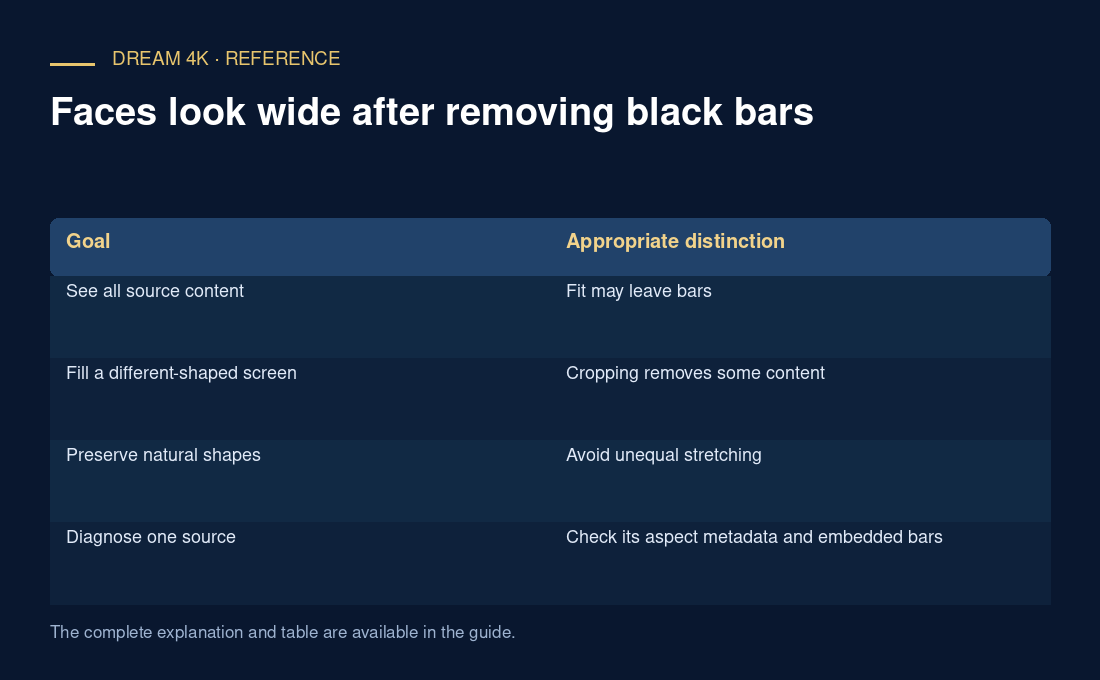
| Goal | Appropriate distinction |
|---|---|
| See all source content | Fit may leave bars |
| Fill a different-shaped screen | Cropping removes some content |
| Preserve natural shapes | Avoid unequal stretching |
| Diagnose one source | Check its aspect metadata and embedded bars |