
In this guide
Choose observations that survive changing filenamesDistinguish three outcomesKeep the report narrow and reproducibleA live playlist can keep the same URL while its contents change every few seconds. Seeing the address reload is therefore weaker evidence than seeing a new segment enter the timeline. Comparing two small snapshots can reveal whether the published view advanced.
Use an application’s diagnostics or your own authorized playback session. Save the responses locally only as needed for investigation, and redact tokens before passing any excerpt to support.
Choose observations that survive changing filenames
For each snapshot, record retrieval time, EXT-X-MEDIA-SEQUENCE if present, the ordered segment names, each EXTINF duration, and any ENDLIST tag. Record cache information if your tool exposes it. The sequence number supplies useful context, but the filename does not have to contain that number or a human-readable time.
In an original hypothetical example, snapshot A at 12:00:00 lists sequences 100 to 104. Snapshot B at 12:00:10 lists 102 to 106. New segments appeared and two older entries left the window. That is evidence of advancement; the sequence increase is not itself a ten-second clock reading.
Distinguish three outcomes
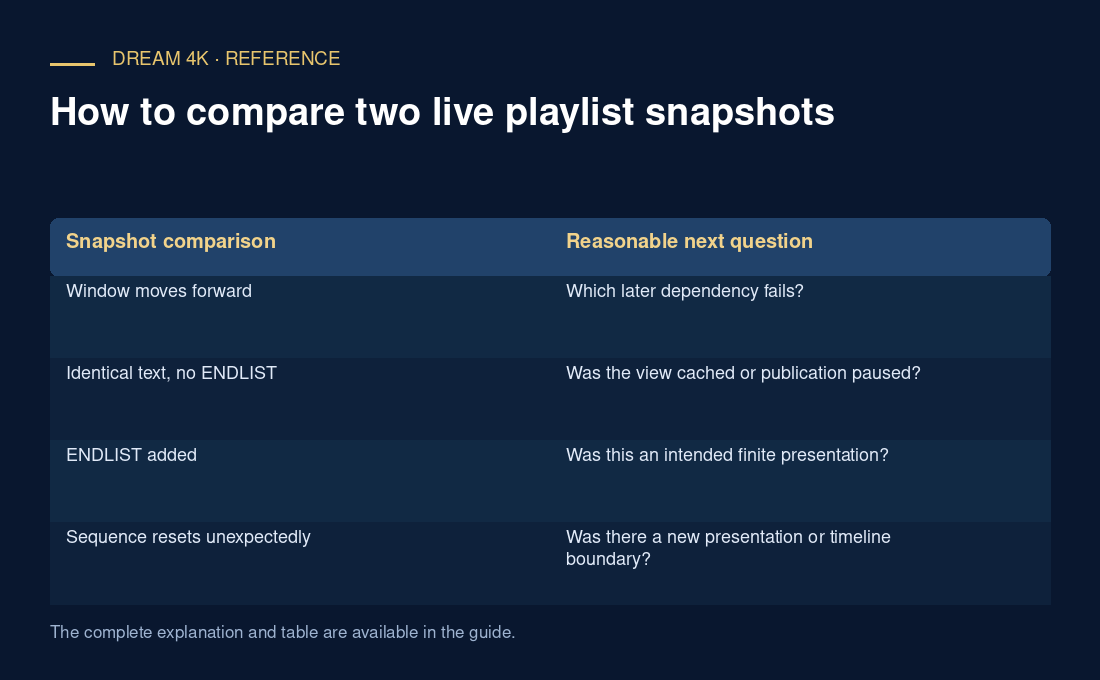
If new resources appear, the playlist is advancing at the observed points. A client that still freezes may have a later segment, decoding or scheduling problem. If identical content persists, examine whether the response is a cached copy, a genuinely paused publication or a completed event. A repeated URL alone cannot decide between those explanations.
If ENDLIST appears, the publisher has marked that playlist as complete. The final listed media may still be playable, but the client should not expect more segments in that playlist. A programme can also finish while a continuous channel moves on through a different timeline; do not assume the event’s last segment proves the entire service ended.
Keep the report narrow and reproducible
Compare snapshots far enough apart to expect a meaningful update for that presentation, using its observed segment timing rather than a universal interval. Avoid rapid repeated polling that adds traffic without improving evidence. Preserve the exact client time zone and the player’s reported error time.
A concise report could say: “The media playlist remained byte-for-byte identical in observations at 12:00:00 and 12:00:20 UTC; no ENDLIST was present; the last listed segment returned 200.” That identifies an observed stale view without deciding whether a cache, origin or upstream encoder caused it. A source operator can then compare the relevant publishing and delivery logs.
| Snapshot comparison | Reasonable next question |
|---|---|
| Window moves forward | Which later dependency fails? |
| Identical text, no ENDLIST | Was the view cached or publication paused? |
| ENDLIST added | Was this an intended finite presentation? |
| Sequence resets unexpectedly | Was there a new presentation or timeline boundary? |