
In this guide
Name the material discrepancyProvide a narrow comparisonPreserve the seller’s responseUpdate dependent recordsA receipt or confirmation can contain a typo, an unclear term or an account reference that does not match your intended order. Keep the original and ask the responsible seller for a clear correction. Do not edit the seller’s document and later present your version as the original.
Name the material discrepancy
State which field is unclear: selected term, currency, amount, account reference or customer contact. Include the order reference through the established private route. Separate an obvious typographical issue from a disagreement about what was ordered or applied. The seller needs to know which question it is answering.
Provide a narrow comparison
Quote the relevant value and explain the intended value using your actual order trail. For example, a renewal may have been discussed for one existing account while the confirmation refers to another. That is a request for account reconciliation, not a reason to silently change the identifier in your spreadsheet.
Preserve the seller’s response
Keep any corrected record or written clarification connected to the original. Mark which version is current and why. If the seller says the original is correct, retain that explanation and identify any remaining disagreement.
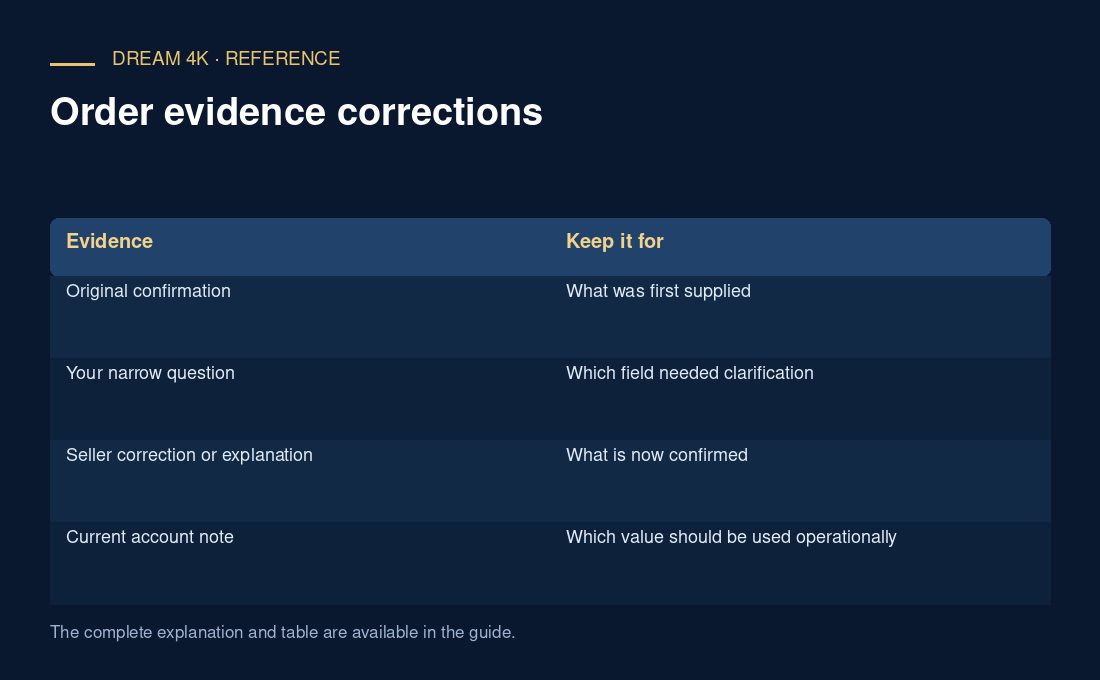
| Evidence | Keep it for |
|---|---|
| Original confirmation | What was first supplied |
| Your narrow question | Which field needed clarification |
| Seller correction or explanation | What is now confirmed |
| Current account note | Which value should be used operationally |
Update dependent records
Once confirmed, update the handover note, renewal reminder or internal ledger that depended on the incorrect field. Preserve the source of the new value. A correction to a contact spelling does not necessarily change account ownership or billing, and a corrected receipt does not by itself prove a separate service action completed.
Questions about this guide
What if the seller has not replied to the correction request?
Keep the original record and mark the relevant field unresolved. Use a clear pending note in any dependent workflow. Do not make a disputed value look confirmed merely because a reminder or ledger requires a field to be filled.